Introduction
Artificial Intelligence (AI) is transforming Business Intelligence (BI), enabling companies to make faster, data-driven decisions with ease. Microsoft’s Power BI, a leading BI tool, seamlessly incorporates AI to provide predictive analytics, automation, and deeper insights. This article explores how AI enhances Power BI, how businesses can leverage these features, and what the future holds.
Power BI Overview
Power BI is a powerful business analytics tool developed by Microsoft, enabling organizations to visualize data, create interactive reports, and derive actionable insights. It empowers businesses to connect to multiple data sources, transform raw data into meaningful information, and share reports across teams seamlessly. As a cloud-based platform, Power BI offers flexibility in accessing data from anywhere, making it an essential tool for modern enterprises.
- One of Power BI’s key strengths is its integration with Microsoft services, including Excel, Azure, and Dynamics 365. This seamless connectivity allows businesses to unify their data ecosystem and leverage real-time analytics for better decision-making. Additionally, Power BI supports integration with third-party applications and cloud services, enhancing its versatility and scalability.
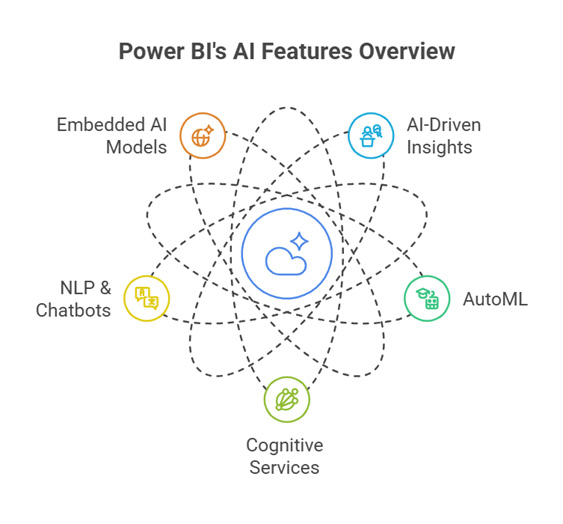
- Power BI provides a range of features such as data modeling, AI-driven insights, and customizable dashboards, enabling users to explore data intuitively. The platform includes AI-powered functionalities like Power BI Copilot, Automated Insights, and Natural Language Processing (NLP), allowing users to generate reports and insights effortlessly.
With its user-friendly interface and extensive capabilities, Power BI is a valuable tool for businesses of all sizes. Whether used for financial forecasting, sales analysis, or operational efficiency, Power BI empowers organizations to make informed, data-driven decisions in a competitive landscape.
Key AI Features in Power BI
AI-Driven Insights
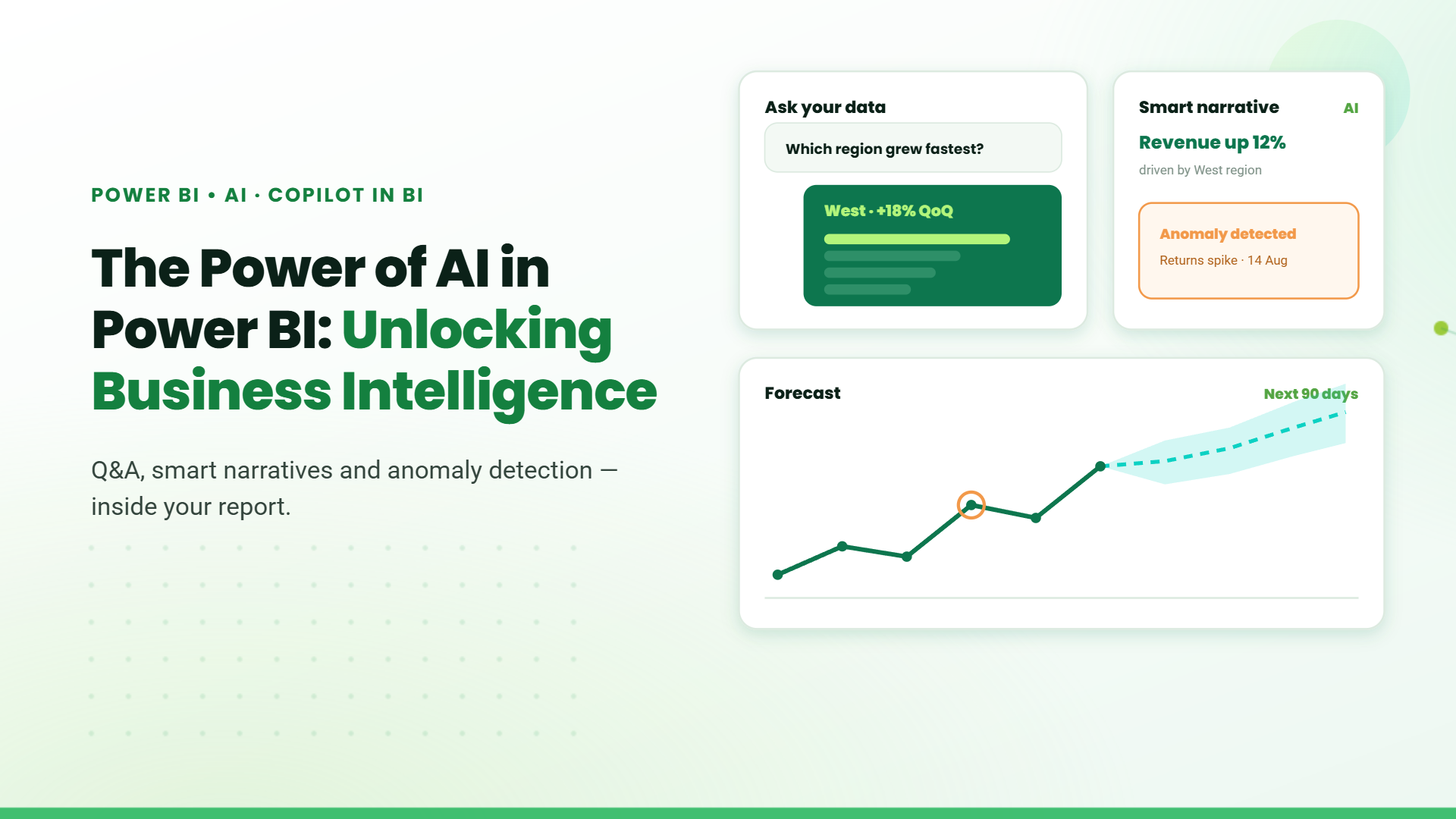
Power BI harnesses AI to uncover trends, detect anomalies, and forecast future outcomes. Its automated machine learning (AutoML) models identify patterns in data, helping businesses make proactive decisions. The Smart Narratives feature further simplifies insights by generating natural language explanations, making analytics accessible to non-technical users.
Cognitive Services Integration
Microsoft Cognitive Services integration takes Power BI’s AI capabilities a step further. With text analytics, businesses can analyze customer feedback, extract key phrases, and perform sentiment analysis. Meanwhile, image recognition allows organizations to process scanned documents and product images for deeper insights.
Automated Machine Learning (AutoML)
AutoML in Power BI empowers users to build predictive models without writing code. By leveraging historical data, businesses can forecast customer behavior, sales trends, and operational risks. The intuitive interface makes AI adoption easier for both technical and non-technical users.
Azure Machine Learning Integration
Power BI’s integration with Azure Machine Learning enables businesses to import and apply custom-trained AI models within their dashboards. This enhances predictive analytics, allowing data scientists and analysts to make more precise, data-driven decisions.
Natural Language Processing (NLP)
Power BI enhances user interaction with data through NLP-powered features. The Q&A visual lets users ask questions in natural language and receive instant insights, making data exploration more intuitive. Additionally, AI-driven chatbots integrated with Power BI allow businesses to interactively analyze data and generate automated responses to business queries.
Future of AI in Power BI: Microsoft Copilot & Fabric
Microsoft is continuously enhancing Power BI’s AI capabilities with innovations like Microsoft Copilot in Fabric. Copilot integrates AI-powered assistance to streamline report creation, automate insights, and improve user interactions. Microsoft Fabric further enhances AI-driven workflows and data governance, making Power BI even more powerful for businesses.
Table of Contents
Talk to our Microsoft Expert Consultant
Conclusion
AI is reshaping the way businesses analyze and act on data. From retailers optimizing inventory with AI-driven demand forecasting to financial institutions using anomaly detection to prevent fraud, Power BI’s AI capabilities are making analytics more intuitive and insightful. As Microsoft continues to push AI advancements, businesses can expect even more intelligent tools to drive efficiency and smarter decision-making.
Share this article

About the Author
Chandru is a technology professional experienced in business automation, Microsoft solutions, and digital transformation. Through practical insights, [he/she/they] helps businesses understand emerging technologies and achieve meaningful outcomes.
Frequently Asked Questions
Power BI includes AutoML, Cognitive Services, NLP, and AI-powered insights.
Yes! Power BI’s AI models are designed to be user-friendly, requiring no coding experience.
Power BI stands out with its AI-driven insights, automation, and deep integration with Microsoft’s Cognitive Services.