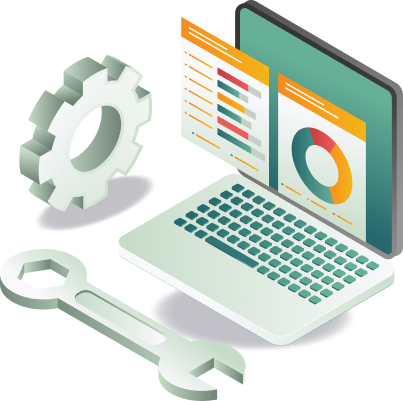
Application Maintenance Services for Stable, Secure Software Operations
Proactive monitoring, updates, and support that keep applications running. We provide software maintenance services that keep platforms stable, secure, and aligned with evolving needs, covering issue resolution and improvements.
Application Support Services for Continuous Application Performance
Applications require continuous attention to remain secure, reliable, and aligned with changing business needs. Our application support services help organizations maintain operational continuity through proactive maintenance and ongoing improvements.
What our application maintenance services
cover
Our application maintenance services cover monitoring, troubleshooting, updates, and performance optimization to keep your applications reliable and secure at every stage.
Application Monitoring
Track application performance, uptime, and system health through continuous monitoring. Issues are flagged early before they affect users, reducing downtime and maintaining reliable operations across the environment.
Performance Optimization
Analyze system performance and optimize application components for speed, reliability, and scalability. Benchmarks are defined and tracked to measure improvement and maintain consistent overall performance standards.
Bug Fixes and Issue Resolution
Diagnose and resolve technical issues affecting application functionality within agreed SLAs. Each fix is tested and validated before deployment to ensure the issue is fully resolved without introducing new problems.
Feature Enhancements
Implement new capabilities and configuration improvements as operational needs evolve. Each enhancement is scoped, developed, and tested against defined requirements before release to maintain application stability.
Security Updates and Patch Management
Apply security patches and software updates to protect applications against vulnerabilities. Patch schedules are managed proactively to maintain compatibility and reduce exposure across application and infrastructure.
Database Backup and Disaster Recovery
Manage automated database backups and disaster recovery configurations to protect critical data. Recovery procedures are tested regularly to ensure data can be restored quickly and reliably when needed.
How we deliver application support and maintenance projects
Our support approach ensures applications are monitored, maintained, and improved continuously with stability, security, and performance built into every stage.
Step 01
Monitor Application Environment
Track system health, uptime, and performance metrics through continuous monitoring tools. Potential issues are identified and escalated before they affect users, keeping applications stable and reliable across all environments.
Step 02
Identify and Resolve Issues
Diagnose technical problems affecting application functionality and implement validated fixes within agreed SLAs. Each resolution is tested before deployment to ensure normal operations are fully restored without introducing further issues.
Step 03
Apply Updates and Security Patches
Deploy software updates and security patches to protect applications against vulnerabilities. Patch schedules are managed proactively to maintain compatibility and reduce security exposure across your entire application environment.
Step 04
Improve Performance and Stability
Analyze application performance against defined benchmarks and optimize components to improve speed, reliability, and scalability. Improvements are validated through structured testing before being applied to the production environment.
Step 05
Support Ongoing Enhancements
Scope, develop, and implement feature updates and configuration improvements as operational needs evolve. Each enhancement is tested against defined requirements to ensure stability and consistency across the existing application environment.
5 problems in unsupported application environments
THE FAILURE
Issues detected by users, not by monitoring
Without continuous monitoring, problems surface only when users report failures, causing downtime and eroding trust.
HOW WE PREVENT IT
Performance Monitoring
We track application performance, uptime, and system health continuously, flagging issues before affecting users.
THE FAILURE
Security patches applied after incidents
Vulnerabilities remain open because patches are only applied after a breach or audit finding.
HOW WE PREVENT IT
Proactive Patch Management
We manage patch schedules to maintain compatibility and reduce exposure across application infrastructure.
THE FAILURE
Performance degradation accepted as normal
Applications slow without defining or tracking performance benchmarks until degradation affects operations.
HOW WE PREVENT IT
Performance Benchmarking
We define benchmarks and track them to measure improvement and maintain consistent performance.
THE FAILURE
No disaster recovery plan tested or validated
Backup systems exist on paper but have never been tested, creating a false sense of security.
HOW WE PREVENT IT
Backup & Recovery Management
We manage automated database backups and test recovery procedures to restore data quickly and reliably.
THE FAILURE
Feature requests stall without support.
Enhancement requests pile up because there is no structured team to scope, build, and deploy them safely.
HOW WE PREVENT IT
Feature Enhancement Management
We scope, develop, and implement feature updates tested against requirements to ensure application stability.
Application support and maintenance covers ongoing monitoring, issue resolution, security updates, and performance optimization to keep software stable, secure, and aligned with operational needs after deployment.
Application performance and security are maintained through continuous monitoring, defined benchmarks, proactive patch schedules, and regular infrastructure updates that reduce exposure across your environment.
Related Full stack Development services
Mobile Application
Development
iOS and Android applications with real-time data access and backend connectivity.
Web Application
Development
Browser-based applications for business operations, internal and customer platforms.
API & Backend
Development
Backend systems, APIs, and data processing for application logic and integrations.
Desktop Application Development
Desktop applications for specialized operations, internal tools, and process workflows.
Website Development
Websites for business identity, customer engagement, and structured content experiences.
Full Stack Development
Complete development services across web, mobile, backend, desktop, and maintenance.
Looking for Reliable Application Support Services?
Whether you need ongoing application support, issue resolution, or performance improvements, let’s discuss your requirements.