SharePoint Managed Support for Stable, Governed Platform Operations
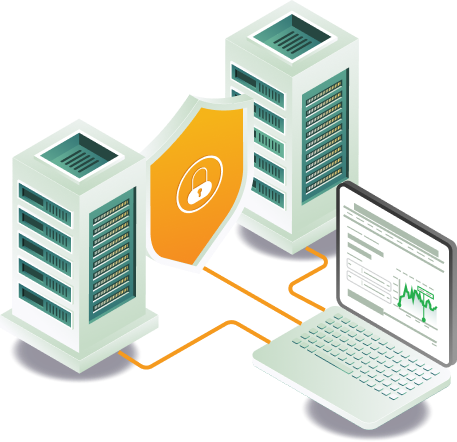
Ongoing administration, monitoring, and governance keep your SharePoint environment running smoothly. We maintain environments through governance, security monitoring, and optimization, ensuring stability.
Ongoing SharePoint Management and Support for Platform Reliability
SharePoint environments drift without active governance. Permissions get assigned outside policy, site configurations change without documentation, and compliance gaps build up quietly until they become an audit issue. We handle administration, governance enforcement, security monitoring, and optimization on an ongoing basis, so none of that accumulates.
What our SharePoint Managed services cover
Our SharePoint managed services cover tenant administration, permission management, governance monitoring, issue resolution, and platform optimization to keep your environment reliable and well-governed.
Tenant and Site Administration
Manage SharePoint site creation, configuration, and administrative controls, with each action documented and aligned with governance standards to maintain consistency across your SharePoint environment.
Platform Health Monitoring
Monitor SharePoint service health, detect operational issues, and respond to alerts early. Regular health checks maintain platform stability and identify performance concerns before they affect users.
User Access and Permission Management
Manage role-based access and user permissions across SharePoint sites and libraries, with regular reviews to keep access aligned with departmental responsibilities, governance, and compliance requirements.
Issue Resolution and Troubleshooting
Diagnose and resolve SharePoint issues affecting document access, workflows, and site performance, with each issue investigated and documented to prevent recurrence and maintain operational continuity.
Governance and Compliance Monitoring
Ensure governance policies, retention rules, and compliance settings are enforced across SharePoint. Monitoring is conducted continuously to identify and address gaps before creating compliance risks.
Continuous Platform Optimization
Review SharePoint usage patterns and optimize site structures, permissions, and configurations to improve performance, maintain efficiency, and ensure the environment scales with growing operational needs.
How we deliver SharePoint managed support
Our support approach ensures the platform is monitored, governed, and optimized continuously, with stability and compliance maintained at every stage.
Step 01
Environmental Health Monitoring
Track platform status, service health, and performance metrics to identify operational issues before they affect users or workflows across the SharePoint environment.
Step 02
Governance Enforcement
Maintain compliance policies, retention rules, and document management controls across sites and libraries to ensure the environment remains governed and aligned with organizational standards.
Step 03
Incident Response and Troubleshooting
Address platform issues affecting users, document access, or workflows promptly. Each incident is investigated and resolved with documentation to prevent recurrence and maintain operational continuity.
Step 04
Platform Updates and Configuration Management
Manage platform updates, configuration changes, and administrative settings to keep the SharePoint environment current, stable, and aligned with evolving operational requirements.
Step 05
Usage Reporting and Review
Provide regular insights into SharePoint usage, performance trends, and governance compliance. Reports are used to identify optimization opportunities and inform ongoing platform management decisions.
5 problems that develop in unmanaged SharePoint environments
01
Permission drift creates security and compliance gaps
Without regular review, permissions accumulate, override, and deviate from intended access controls. Users gain access to content they should not see, and compliance boundaries erode. We review and update permission structures regularly to keep access aligned with departmental responsibilities.
02
Governance policies stop being enforced
Retention rules, classification standards, and compliance settings are configured at launch but never monitored after. Over time, governance erodes, and content management becomes inconsistent. We monitor governance enforcement on an ongoing basis to identify and close gaps before they create risk.
03
Platform issues go undetected until they affect users
Without proactive health monitoring, service degradation, configuration errors, and performance issues are only discovered when users report problems. We monitor platform health continuously and respond to system alerts before they affect operations.
04
Issues recur because root causes are not documented
Problems are resolved in the moment but not investigated or documented, leading to recurring incidents and growing user frustration. We investigate, resolve, and document every issue to prevent recurrence, improve support efficiency, enhance user experience, and maintain long-term operational continuity.
05
The environment becomes harder to manage as it grows
Without ongoing optimization, site structures, configurations, and content accumulate without governance, making the environment progressively harder to maintain. We review usage patterns and optimize configurations continuously so the environment scales with your needs.
SharePoint managed support provides ongoing administration, governance enforcement, security monitoring, issue resolution, and platform optimization to keep your SharePoint environment stable, secure, and aligned with operational needs.
Managed support covers tenant and site administration, user access and permission management, governance and compliance monitoring, platform health monitoring, issue resolution and troubleshooting, and continuous platform optimization.
Response and resolution times are defined by SLA. Critical issues affecting user access or workflows are prioritized for immediate response. TechnoRUCS provides structured SLAs based on severity levels and operational impact.
Explore SharePoint services
SharePoint Online
Development
Custom sites, portals, and document environments with governance built in from the start.
SharePoint
Migration
Controlled migrations to SharePoint Online data integrity governance & preserved.
SharePoint
Integration
Connecting SharePoint with Microsoft 365 and third-party systems for automated workflows.
SharePoint Consulting
Services
Full SharePoint consulting services: development, migration, integration, and managed support.
Keep Your SharePoint Environment Running at Its Best
Talk to our experts about ongoing administration, governance, monitoring, and optimization for your SharePoint environment.