SharePoint Development Services for Portals, Documents and Collaboration
Custom SharePoint environments for teams to collaborate and manage information. Our SharePoint development services build intranet portals, document libraries, and collaboration environments aligned with your workflows
SharePoint Online Development for Collaboration & Document Management
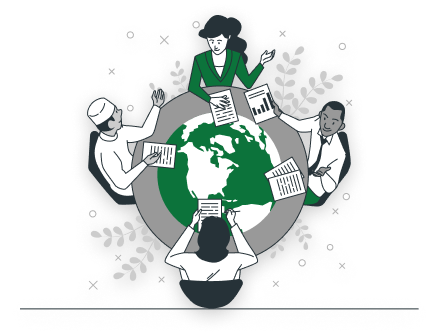
SharePoint Online gives you the foundation. Whether people collaborate on it depends on how document libraries are organized, who has access to what, and whether the workflows match how your organization reviews and approves content. We configure the libraries, access controls, and workflows around that before deployment.
What our SharePoint development services cover
Our SharePoint online development services cover portal development, document management, workflow automation, custom components, and access controls to support collaboration and document governance across departments.
Intranet and Department Portals
Develop corporate intranets and department portals that bring announcements, operational resources, and internal communication together, with each portal designed around how departments organize and access information daily.
SharePoint Framework Development
Develop custom web parts and extensions using SPFx to extend SharePoint beyond standard capabilities, with each component built, tested, and integrated to work reliably within your existing SharePoint environment.
Document Management Systems
Configure document libraries, metadata frameworks, version control, and retention policies to organize files and manage the document lifecycle. Each library is set up to reflect how your teams store and retrieve content.
Forms and Data Capture Systems
Create SharePoint custom development solutions using lists and Power Apps to capture operational data and requests. Forms are configured around your data requirements and validated before deployment across departments.
Workflow and Approval Automation
Implement automated workflows for document approvals, requests, and operational processes using SharePoint and Power Automate, with each workflow tested against real business scenarios before deployment for reliable execution.
Role-Based Access and Permissions
Design permission frameworks that control site access, document visibility, and collaboration capabilities based on user roles. Access structures are validated to ensure the right people have access to the right content.
How we deliver SharePoint development project
Our implementation approach ensures every environment is assessed, designed, configured, and validated with governance and adoption built into every stage.
Step 01
Review Existing Environment
Assess current SharePoint usage, document structures, and collaboration workflows to identify gaps and define requirements. This ensures the development approach reflects actual operational needs before any configuration begins.
Step 02
Design Application Architecture
Define the mobile framework, data flow, backend integration model, and system architecture to support application functionality, scalability, performance, and seamless interaction between mobile interfaces and connected business systems.
Step 03
Configure Sites and Workflows
Deploy collaboration sites, document libraries, automated workflows, and custom components to specification. Each component is reviewed against defined requirements before progressing to ensure consistency and reliability across the environment.
Step 04
Validate Governance and Permissions
Test document access levels, workflow functionality, and governance controls across the environment. Validation is completed against defined requirements before the environment is approved for user onboarding and adoption.
Step 05
Support Adoption and Onboarding
Assist teams with onboarding, usage guidance, and environment stabilization after deployment. Role-specific guidance is provided to ensure teams understand and use the environment effectively from the start.
Governance controls are built into every SharePoint environment
01
Permission Policies
Define role-based access across SharePoint sites, document libraries, and workspaces. Permission structures are reviewed to align with departmental responsibilities and compliance requirements.
02
Data Governance Controls
Configure document retention, classification, and lifecycle management policies that reflect your organizational governance standards. Controls are applied consistently across libraries to maintain content integrity over time.
03
Compliance and Audit Settings
Enable audit logs and activity monitoring across SharePoint environments to support governance and compliance requirements. Audit configurations are validated to ensure complete visibility into document access and activity.
04
Metadata and Classification Standards
Metadata models and document classification standards are defined during the architecture phase and applied across libraries and sites, ensuring content remains organized, searchable, and governable as the environment grows.
05
Scalability and Maintenance Planning
Site structure, permission models, and governance controls are designed for scale from the start, so the environment remains manageable and maintainable as your organization, content volume, and user base grow over time.
SharePoint Online development involves creating, customizing, and extending SharePoint sites, libraries, lists, workflows, and web parts to support collaboration, document management, and business process automation in the cloud.
SharePoint Online improves productivity by centralizing documents, enabling real-time collaboration, automating workflows, providing version control, and streamlining communication across teams and departments for faster decision-making.
Yes, SharePoint Online can be customized with site designs, lists, libraries, workflows, web parts, and integrations, tailoring the platform to specific business processes, branding, and operational requirements.
Explore SharePoint services
SharePoint Consulting Services
Full SharePoint consulting services: development, migration, integration, and managed support.
SharePoint
Migration
Controlled migrations to SharePoint Online data integrity governance & preserved.
SharePoint
Integration
Connecting SharePoint with Microsoft 365 and third-party systems for automated workflows.
SharePoint Managed
Support
SharePoint administration, optimization, and support for a secure digital workplace.
Build SharePoint Around Your Business Requirements
Talk to our experts about custom intranets, document management, workflow automation, and SPFx development.