SharePoint Integration Services for Connected Systems and Automated Workflows
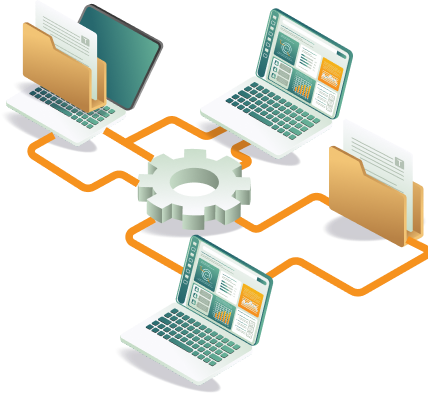
Connect SharePoint with Microsoft 365, business applications, and external systems for unified data and coordinated workflows. We deliver SharePoint integration services that connect SharePoint with Microsoft 365 applications, business platforms, and external systems to automate workflows, synchronize data, and enable coordinated collaboration across your environment.
SharePoint Integration Solutions for Cross-System Collaboration
Documents and approvals in SharePoint lose value when the data behind them is locked in a separate ERP, CRM, or external system. We connect SharePoint with Microsoft 365 applications, business platforms, and external systems so everything stays in sync without manual transfers between platforms.
What our SharePoint Integration services cover
Our SharePoint integration solutions address every layer of connectivity, from Microsoft ecosystem integrations to external system connections and automated cross-platform workflows.
Microsoft 365 Integration
Connect SharePoint with Microsoft Teams, Outlook, and other Microsoft 365 services to enable integrated collaboration and document access. Each connection is configured and validated to ensure reliable communication across the Microsoft ecosystem.
CRM Integration
Link SharePoint with CRM platforms to centralize documents related to customers, accounts, and operational processes. Integrations are configured to maintain data consistency and ensure document access is aligned with CRM workflows.
Power Platform Integration
Integrate SharePoint with Power Apps, Power Automate, and Power BI to automate workflows, build applications, and deliver reporting visibility. SharePoint Power Automate integration is configured around operational scenarios and validated before deployment.
API-Based Integration
Connect SharePoint with external systems using APIs and platform connectors to enable secure, reliable data exchange. Each API integration is documented and tested to ensure consistent performance and maintainability across connected systems.
ERP System Integration
Connect SharePoint with ERP platforms to enable document sharing and operational workflows. Each integration is configured through API connections and validated to ensure accurate data flow between platforms.
Workflow Automation Across Systems
Automate cross-system processes where actions in one platform trigger workflows and updates in SharePoint. Automation configurations are validated against real operational scenarios to ensure consistent and reliable execution across departments.
How we deliver SharePoint integrations
Our SharePoint integration approach ensures every connection is analyzed, designed, configured, and validated with data accuracy, security, and operational reliability at every stage.
Step 01
Analyze System Landscape
Review business applications, systems, and data flows requiring integration to define scope, connectivity requirements, and the right integration approach before any configuration begins.
Step 02
Define Integration Architecture
Design API connectivity, authentication mechanisms, and data exchange models based on the system landscape assessment. Each architecture decision is documented to ensure clarity and maintainability across all integration points.
Step 03
Configure Connectors and APIs
Implement connectors and API integrations between SharePoint and connected systems to specification. Each configuration is reviewed and validated against defined requirements before progressing to the testing stage.
Step 04
Validate Data Synchronization
Test integration workflows and confirm accurate data exchange across all connected systems. Validation covers data accuracy, security controls, and workflow performance before any integration is approved for go-live.
Step 05
Monitor and Optimize Integrations
Track integration stability, performance, and reliability after go-live. Configurations are refined based on usage patterns and operational feedback to ensure connections continue to perform as systems and requirements evolve.
5 reasons SharePoint integrations fail, and how we prevent each one
THE FAILURE
No system assessment before configuration.
Integrations are built reactively without understanding the full application environment or data flow requirements.
HOW WE PREVENT IT
Full integration assessment first
We review all business applications and systems requiring integration before any configuration begins.
THE FAILURE
Undocumented integration architecture
API connections and data exchange are undocumented, making them difficult to troubleshoot and extend.
HOW WE PREVENT IT
Document every integration
We document every architecture decision to ensure clarity and maintainability across all integration points.
THE FAILURE
Data synchronization not validated pre-go-live
Integrations are deployed without confirming accurate data flows, leading to inconsistencies and broken workflows.
HOW WE PREVENT IT
Validate before go-live
We validate data accuracy, security controls, and workflow performance before approval for go-live.
THE FAILURE
Security compliance integration gaps
Access controls are tested within applications but not at the integration layer, creating unprotected exchange paths.
HOW WE PREVENT IT
Integration security assured
We validate security configurations at each integration point to protect data throughout the environment.
THE FAILURE
No monitoring or optimization post-deployment
Integrations are deployed and forgotten, with no active tracking of stability or performance.
HOW WE PREVENT IT
Performance monitoring first
We monitor integration reliability after go-live and refine configurations based on operational feedback.
SharePoint integration services connect SharePoint with other systems, applications, and tools, enabling seamless data exchange, automated workflows, and enhanced collaboration across business processes and platforms.
Documents, lists, libraries, forms, databases, emails, calendars, and records from internal or external systems can be integrated with SharePoint to centralize information and improve accessibility.
Yes, SharePoint integrates with Microsoft Teams, allowing teams to access documents, libraries, and lists directly within Teams channels, enabling collaboration, file sharing, and real-time updates.
Explore SharePoint Services
SharePoint Online
Development
Custom sites, portals, and document environments with governance built in from the start.
SharePoint
Migration
Controlled migrations to SharePoint Online data integrity governance & preserved.
SharePoint Consulting Services
Full SharePoint consulting services: development, migration, integration, and managed support.
SharePoint Managed
Support
SharePoint administration, optimization, and support for a secure digital workplace.
Looking for reliable SharePoint integration services for your systems?
Whether you need SharePoint connected to Microsoft 365, your ERP, CRM, or external platforms, the starting point is a structured conversation about your system landscape, connectivity requirements, and operational priorities.