Microsoft Power Pages for customer portal deployments is the fastest, lowest-risk route for businesses already invested in the Microsoft ecosystem. It gives external users secure, role-based access to your Dataverse data, without building a portal from scratch.
Whether you’re replacing a legacy partner portal, launching a customer self-service platform, or creating a vendor onboarding hub, Power Pages provides a scalable and enterprise-ready solution with built-in security, automation, and Microsoft integration.
What Is Microsoft Power Pages?
Microsoft Power Pages is a low-code platform for building secure, externally facing websites backed by Microsoft Dataverse. It helps organizations create customer portals, partner extranets, and self-service business websites with secure access, scalable architecture, and seamless integration across Microsoft business applications.
The key distinction: Power Pages is built specifically for external users — customers, partners, vendors, and suppliers who don’t have Microsoft 365 licences. That separates it from Power Apps (internal staff tools) and SharePoint (document collaboration and intranets).
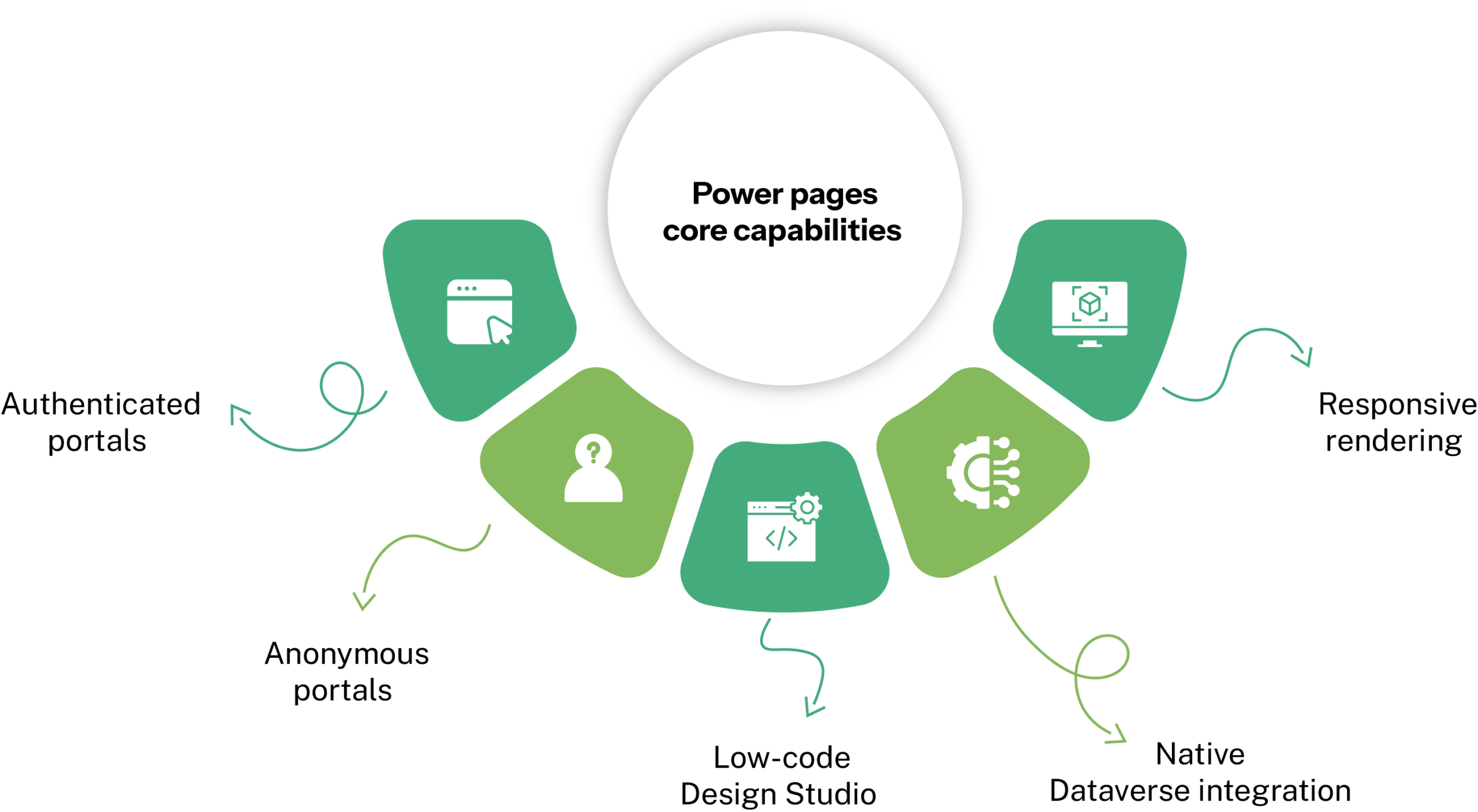
Core capabilities at a glance:
- Authenticated portals – Customers log in, see their own data, submit forms, track cases, all tied to Dataverse Contact records.
- Anonymous portals – public-facing pages such as knowledge bases, lead forms, and product info, with no login required.
- Low-code Design Studio – Drag-and-drop page builder with workspaces for pages, styling, data, and security.
- Native Dataverse integration – Securely connects external users to Dynamics 365 and custom business data without complex API development.
- Responsive rendering – Built on Bootstrap framework to automatically adapt layouts across desktops, tablets, and mobile devices, ensuring a seamless user experience on any screen size.
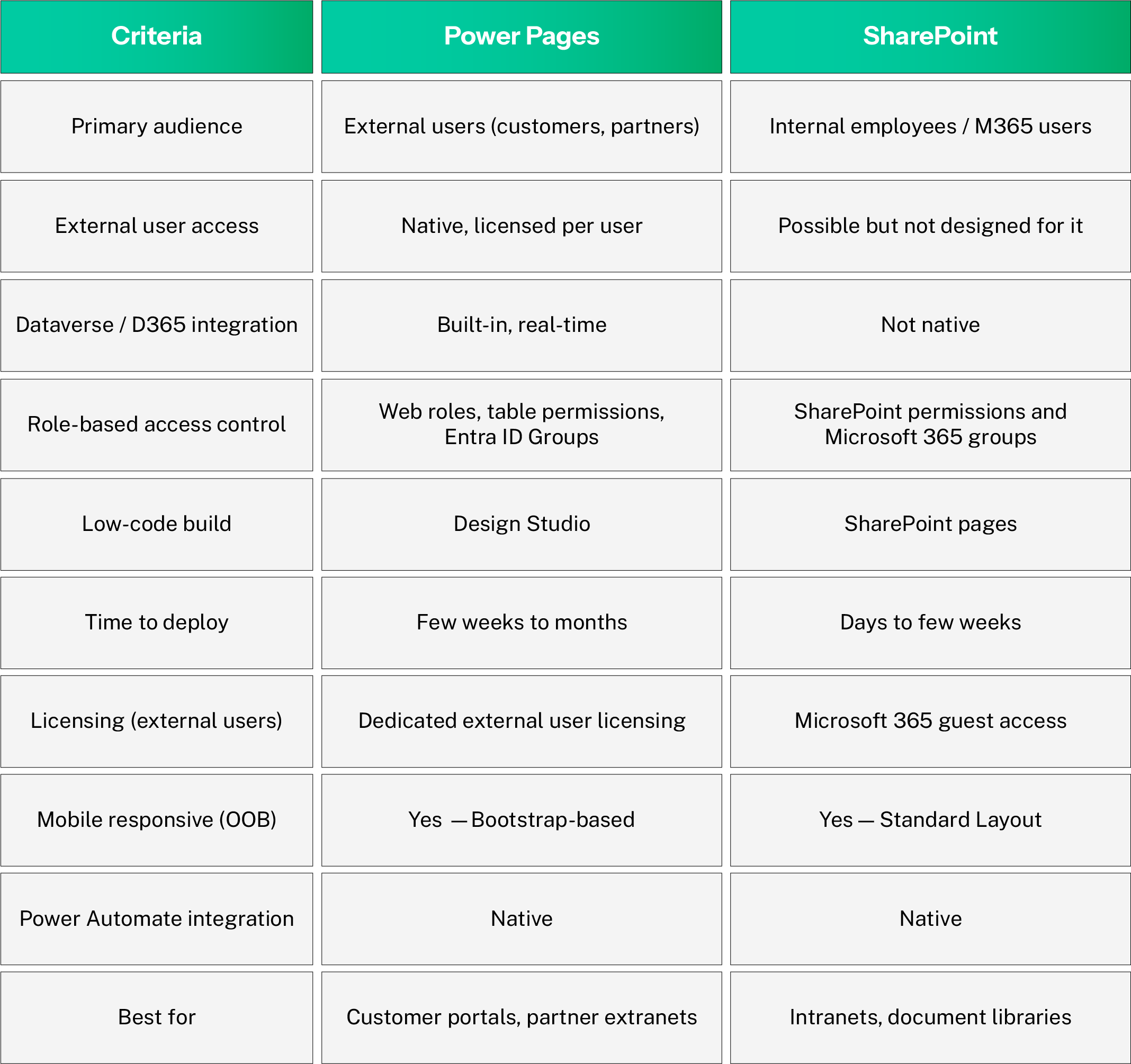
This is the decision most organisations get stuck on. Here is an honest side-by-side for 2026:
Power Pages vs SharePoint
When SharePoint makes sense instead:
If your ‘customer portal’ is really an internal knowledge base or document library for staff, SharePoint is faster and cheaper. Power Pages earns its cost when external users need authenticated, personalised access to operational data.
Power Pages Role-Based Access Control (RBAC)
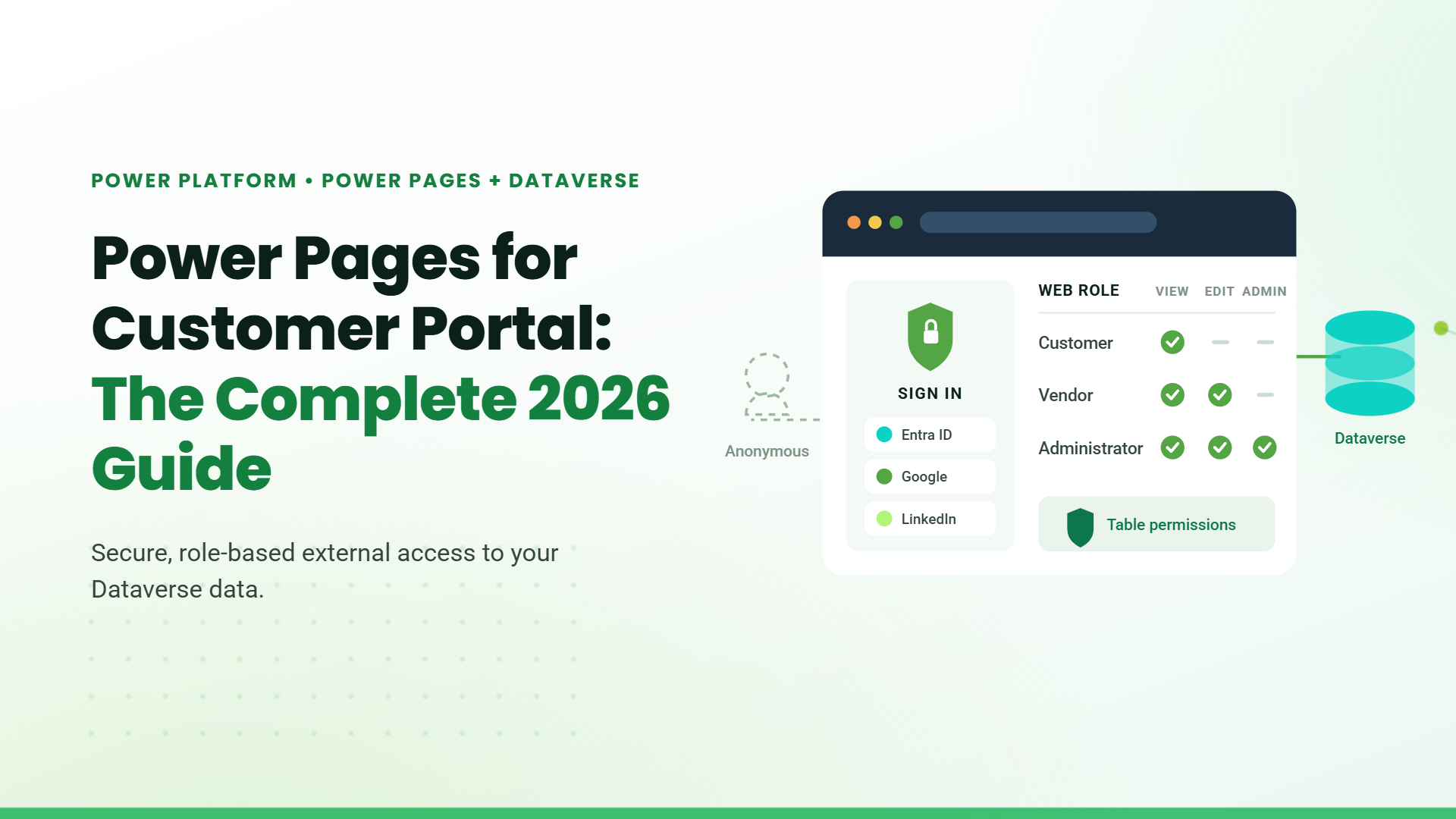
Microsoft Power Pages uses Role-Based Access Control (RBAC) to ensure users only access the pages, data, and features relevant to their role. Instead of managing permissions one user at a time, organizations can assign access based on roles such as Customer, Vendor, Employee, or Administrator.
Authentication and User Access
Power Pages supports secure sign-in through providers like Microsoft Entra ID, Google, LinkedIn, and local authentication. Once a user logs in, the platform automatically applies the appropriate access rules based on their assigned role.
This helps organizations securely manage both internal teams and external users from a single portal environment.
Web Roles and Data Permissions
Web Roles are used to control what users can see and access within the portal. Organizations can decide which pages, forms, and features are available to each role.
At the data level, Microsoft Dataverse Table Permissions add another layer of security by controlling whether users can view, create, update, or delete records.
- Vendors can access only their own documents
- Customers can track their service requests
- Administrators can manage the entire portal
Built for Secure Business Portals
Power Pages combines authentication, role management, and data security to create a secure and scalable portal experience. Compared to Microsoft SharePoint, it offers more advanced control for external users and business applications, making it a strong choice for customer portals, supplier onboarding platforms, and enterprise self-service solutions.
Power Pages Anonymous vs Authenticated Users Pricing in 2026
Understanding the difference between anonymous and authenticated users in Microsoft Power Pages is important because it directly affects your portal licensing costs and long-term scalability.
For most manufacturing and logistics operations, Power BI is the practical starting point. Microsoft Fabric becomes relevant when the data infrastructure itself needs to be rebuilt.
Anonymous Users
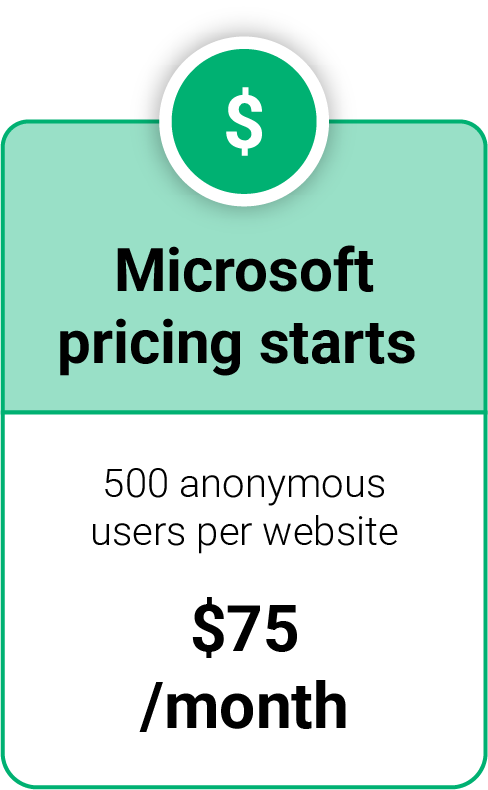
Anonymous users are visitors who access your portal without signing in. Microsoft tracks these users as unique monthly visitors, usually through browser cookies.
- Public knowledge bases
- FAQ portals
- Product catalogues
- Lead capture forms
- Public information websites
In 2026, Microsoft pricing starts at:
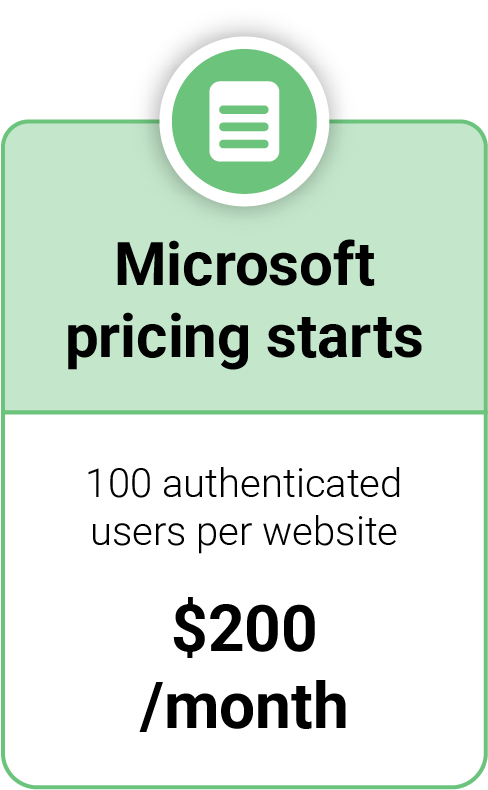
Authenticated users are people who log in using providers such as Microsoft Entra ID, Google, LinkedIn, or local accounts. Each authenticated user is linked to a Microsoft Dataverse Contact record.
Authenticated Users
This model is commonly used for:
- Customer portals
- Vendor onboarding
- Employee self-service
- Partner portals
Microsoft pricing in 2026 includes:
Internal Employee Access
Internal employees with eligible Dynamics 365 or Power Apps licenses can often access Microsoft Power Pages without additional external user licensing in many scenarios.
Table of Contents
Talk to our Microsoft Expert Consultant
Conclusion
Microsoft Power Pages has become one of the strongest low-code platforms for building secure customer portals in 2026. Its native integration with Dataverse, enterprise-grade security, responsive design, and scalable licensing model make it a powerful choice for organizations already invested in the Microsoft ecosystem.
For businesses that need secure external access to operational data, customer self-service capabilities, or partner collaboration portals, Power Pages offers a faster and more scalable alternative to traditional custom portal development.
Share this article

About the Author
Frequently Asked Questions
Yes. Power Pages is specifically designed for customer, vendor, partner, and supplier portals with secure external access and role-based permissions.
Does Power Pages require Microsoft Dataverse?
Anonymous users access the portal without logging in, while authenticated users sign in through identity providers such as Microsoft Entra ID or Google.
For external customer and partner portals, Power Pages provides stronger security, better Dataverse integration, and more advanced role-based access control compared to SharePoint.