Ever feel stuck managing documents? You’re not alone. Keeping track of contracts, invoices, or even internal files can feel like juggling knives—one slip, and it’s chaos. But what if there was an easy way to organize everything? Enter the out-of-the-box DMS (Document Management System). Let’s explain why you need this and how it can save you time, money, and headaches.
What is an Out-of-the-Box DMS?
Plain and simple, it’s a ready-made system for managing your documents. Unlike systems that require heavy customizations, out-of-the-box DMS solutions are pre-configured and user-ready from the start. Think of it as buying a pre-assembled piece of furniture—no confusing manuals or missing screws, just plug and play.
- Quick Start: With SharePoint OOTB (Out of the Box), you can begin managing documents immediately without navigating a steep learning curve or extensive setup. It’s simple, effective, and gets the job done from day one.
Why Choose an Out-of-the-Box SharePoint DMS?
Some businesses don’t need the full capabilities of an enterprise-grade DMS but still want to organize their files efficiently. That’s where out-of-the-box DMS systems shine—providing essential features without over-complicating things.
- Time-Saving: Skip the endless configurations and jump straight into managing documents effectively. It’s a turnkey solution.
- Cost-Effective: Custom-built DMS platforms can be expensive. An out-of-the-box system gives you everything you need at a fraction of the cost.
- Scalable: Start with the basics and grow as your business evolves, adding more features or workflows as needed.
Real Problems Out of the Box DMS Solves
Problem 1: Scattered Documents
Ever wasted hours searching for an important file buried in emails, drives, or outdated folders? A DMS centralizes everything into one easily accessible location, ensuring you never lose track of your documents again.
Problem 2: Compliance Headaches
If you’re dealing with GDPR, HIPAA, or ISO certifications, you know how stressful compliance can be. Out-of-the-box DMS solutions often include built-in compliance features to help you meet legal requirements without additional effort or customization.
Problem 3: Version Control Mess
Tired of wondering which version of a document is the final one? A robust DMS tracks every version of your files automatically by maintaining a detailed version history. Users can view, compare, and revert to previous versions if needed, reducing errors and eliminating confusion during collaboration.
Key Features of an Out-of-the-Box DMS
1. Core Capabilities
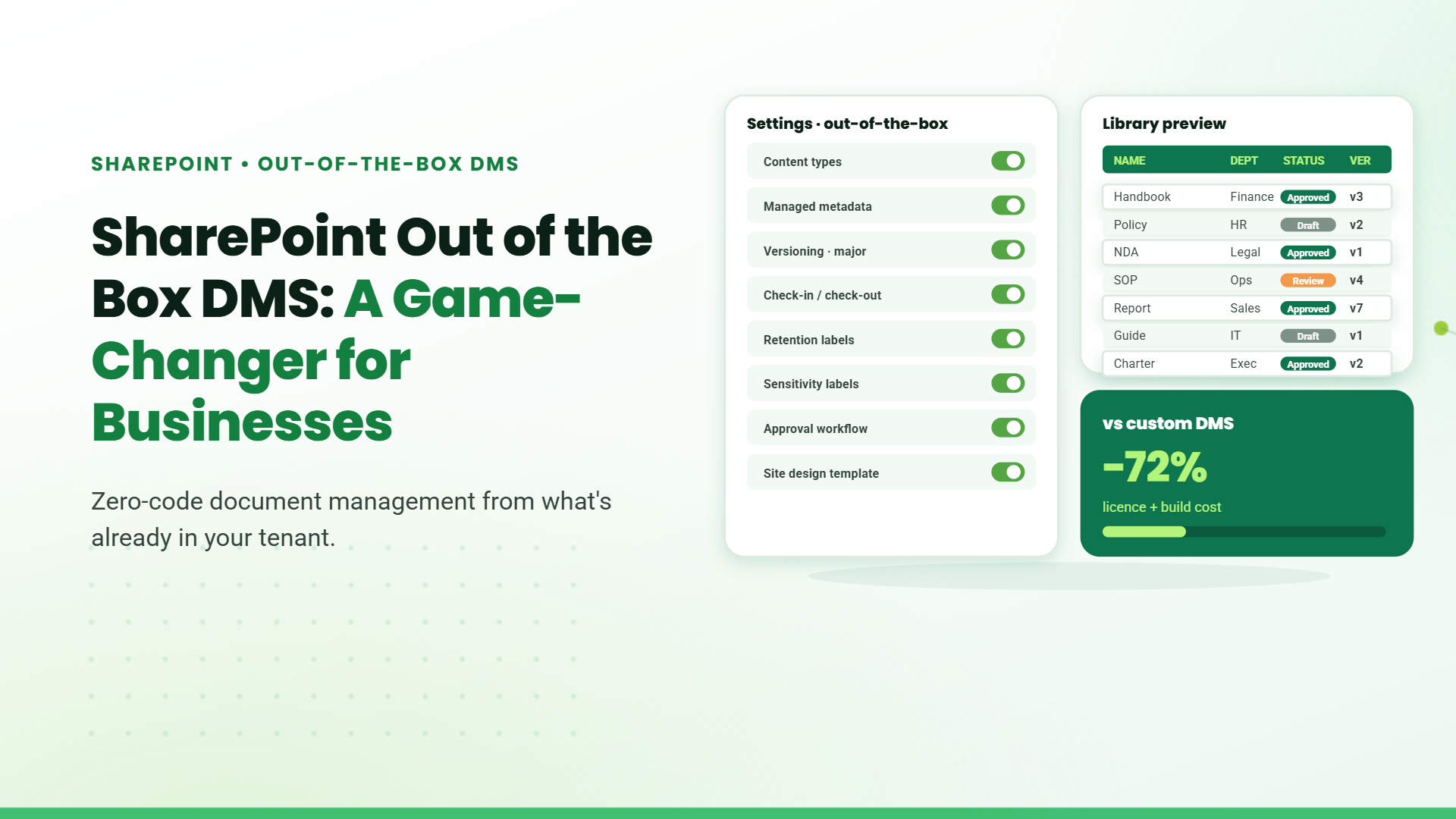
Document libraries, version control, and access management come built-in. These core functionalities make handling documents simple and secure.
2. User-Friendly Design
SharePoint OOTB’s intuitive interface reduces the learning curve, saving training time and allowing your team to become productive immediately.
3. Microsoft Integration
Seamless connections with Microsoft Teams, OneDrive, and Outlook make SharePoint OOTB an integral part of your business ecosystem, streamlining workflows across tools.
4. Advanced Search
A powerful search engine ensures you can find any document in seconds by typing a keyword, eliminating time wasted hunting for files.
5. Scalable and Flexible
Need advanced workflows? Expand capabilities with tools like Power Automate SPFx and Power Apps, adapting the system to your growing needs without expensive development work.
Do You Really Need Full DMS Functionality?
Not every business requires a high-end, fully customizable DMS, which often refers to platforms offering extensive features like deep automation, bespoke workflows, and advanced analytics tailored to complex enterprise needs. Before diving into the options, it’s important to assess whether basic features meet your business needs. Here’s when an out-of-the-box solution makes sense:
When Basic DMS Features are Enough:
- Small teams managing internal files such as employee records, project documentation, and meeting notes, or files for everyday operations like invoices and contracts.
- Companies dealing with non-sensitive data, such as marketing collateral or general meeting notes, without compliance concerns.
- Businesses needing simple, easy access to files without requiring IT support, such as mobile-friendly platforms or straightforward file organization systems.
When You Might Need More:
- Organizations with strict compliance requirements, such as those needing to adhere to GDPR, HIPAA, or ISO standards.
- Large enterprises managing massive volumes of data daily, such as customer transactions, supply chain operations, or employee records across global branches.
- Businesses requiring deep customization, automation, and advanced analytics, such as healthcare organizations needing tailored workflows for patient data or retail chains managing large-scale inventory systems.
How to Choose the Right Out-of-the-Box DMS
- Define Your Needs: What are your priorities? Are you handling large files, managing compliance-heavy documents, or collaborating with remote teams? Identifying your needs will narrow your choices and guide you to the right solution.
- Check the Features: Ensure the system includes essential features like cloud storage, access controls, and automation tools for repetitive tasks. These will be crucial for efficiency and scalability.
- Read the Reviews: Look for real-world feedback from users. Forums, review platforms, and case studies can provide invaluable insights into the pros and cons of each system.
- Test It First: Most vendors offer free trials. Use this opportunity to evaluate whether the system aligns with your business processes before making a financial commitment.
Benefits You’ll Love
- Less Stress: Centralized document storage means no more misplaced files.
- Increased Productivity: Spend less time searching for documents and more time executing tasks.
- Better Collaboration: Shared access ensures everyone stays updated and aligned.
Table of Contents
- 1. Introduction
- 2. What is an Out-of-the-Box DMS?
- 3. Why Choose an Out-of-the-Box SharePoint DMS?
- 4. Real Problems Out of the Box DMS Solves
- 5. Key Features of an Out-of-the-Box DMS
- 6. Do You Really Need Full DMS Functionality?
- 7. How to Choose the Right Out-of-the-Box DMS
- 8. Benefits You’ll Love
- 9. Ready to Upgrade?
- 10. FAQs
Talk to our Microsoft Expert Consultant
Ready to Upgrade?
An out-of-the-box DMS isn’t just another tool—it’s your secret weapon to staying organized and efficient. Whether you’re a small business looking for essential features or a growing company needing scalable solutions, this is your answer. Don’t waste another minute drowning in document chaos. Take the leap, pick the right system, and watch your business thrive.
Share this article

About the Author
Frequently Asked Questions
It’s ready to use immediately after installation. No complex configuration or technical expertise is required.
Yes. Most systems offer advanced security measures like encryption, role-based access controls, and audit logs to protect your data.
Absolutely. These solutions are affordable and scalable, making them an excellent choice for small and medium-sized enterprises.
No. These systems are designed to be user-friendly and require minimal technical support for day-to-day operations.
Yes, many out-of-the-box DMS platforms come with mobile apps, enabling on-the-go access to documents.