Enhancing Document Management through SharePoint DMS.

Platform

Sharepoint

Industry

Manufacturing

Outcome

30%

Reduction in Costs

80%

Less Manual Effort

50%

Faster Approvals

Introduction.

A leading mining company in the Democratic Republic of Congo operates one of the largest copper mines worldwide. Committed to sustainable copper production, the company actively supports community development and environmental care. Its significant investments in education and healthcare foster local growth while contributing to the global transition to clean energy.

The Challenge

The company faced several obstacles in its previous document management practices:

Manual Approval Effort:

In the old system, documents were manually typed and sent for approval through Adobe. Each document needed to be individually forwarded from one approver to the next, consuming a significant amount of time and effort.

01

No Stage-by-Stage Approval Process:

After one manager approved a document, it had to be manually sent to the next in line for a signature, also through Adobe. This lack of automation caused delays, resulting in inefficient workflows.

02

Costly and Inefficient Document Sharing:

Sharing documents in bulk wasn’t possible. Each document had to be sent separately, and the team had to maintain the Adobe license for every month, which increased both costs and complexity.
03

The Solution

Zazu

To overcome these above challenges, the company adopted SharePoint’s Document Management System (DMS), which offered a more streamlined and efficient approach to handling documents.<br>
<b>Centralized Document Management:</b><br>
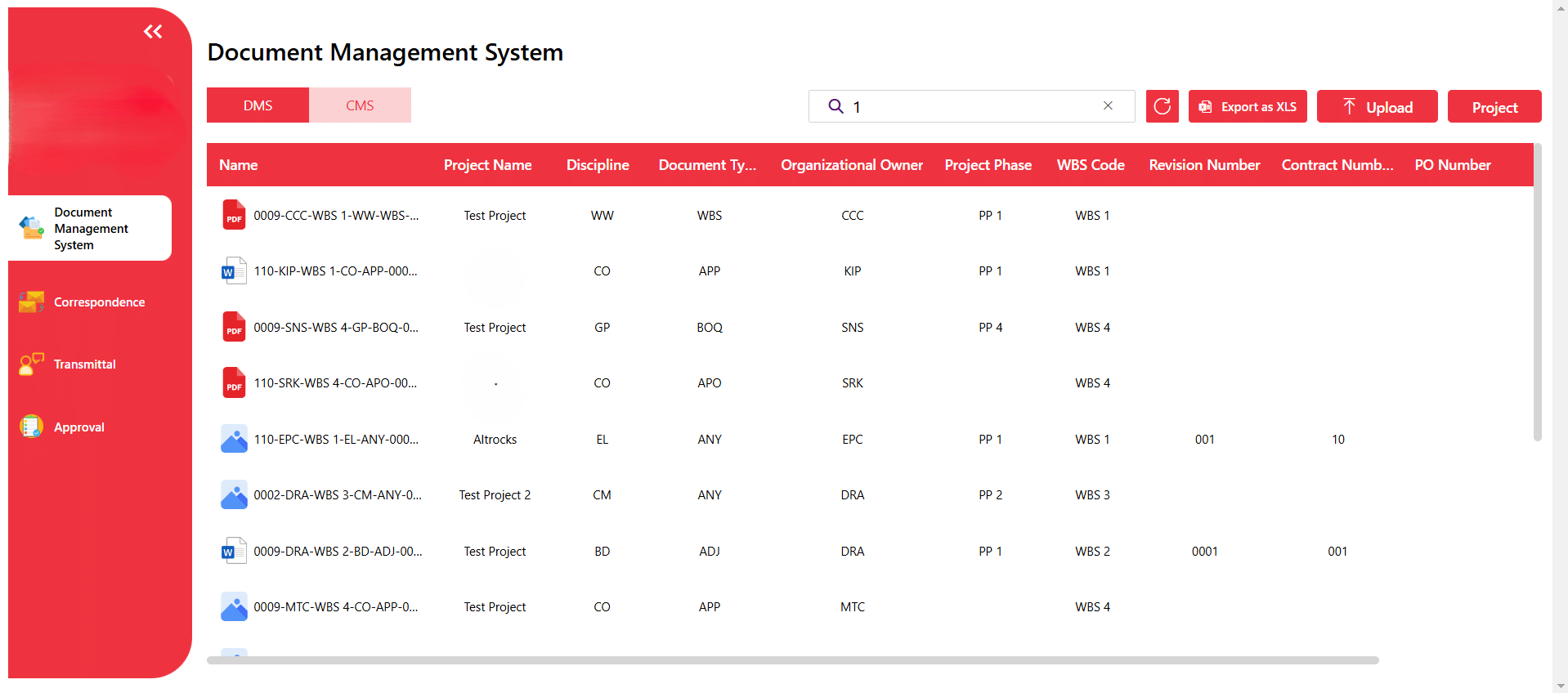
All documents are now stored in a single SharePoint system. A customized dashboard organizes documents by project, type, and phase, making it easy to sort, locate, and manage files<br>

<b>Automated Approval Workflow:</b><br>
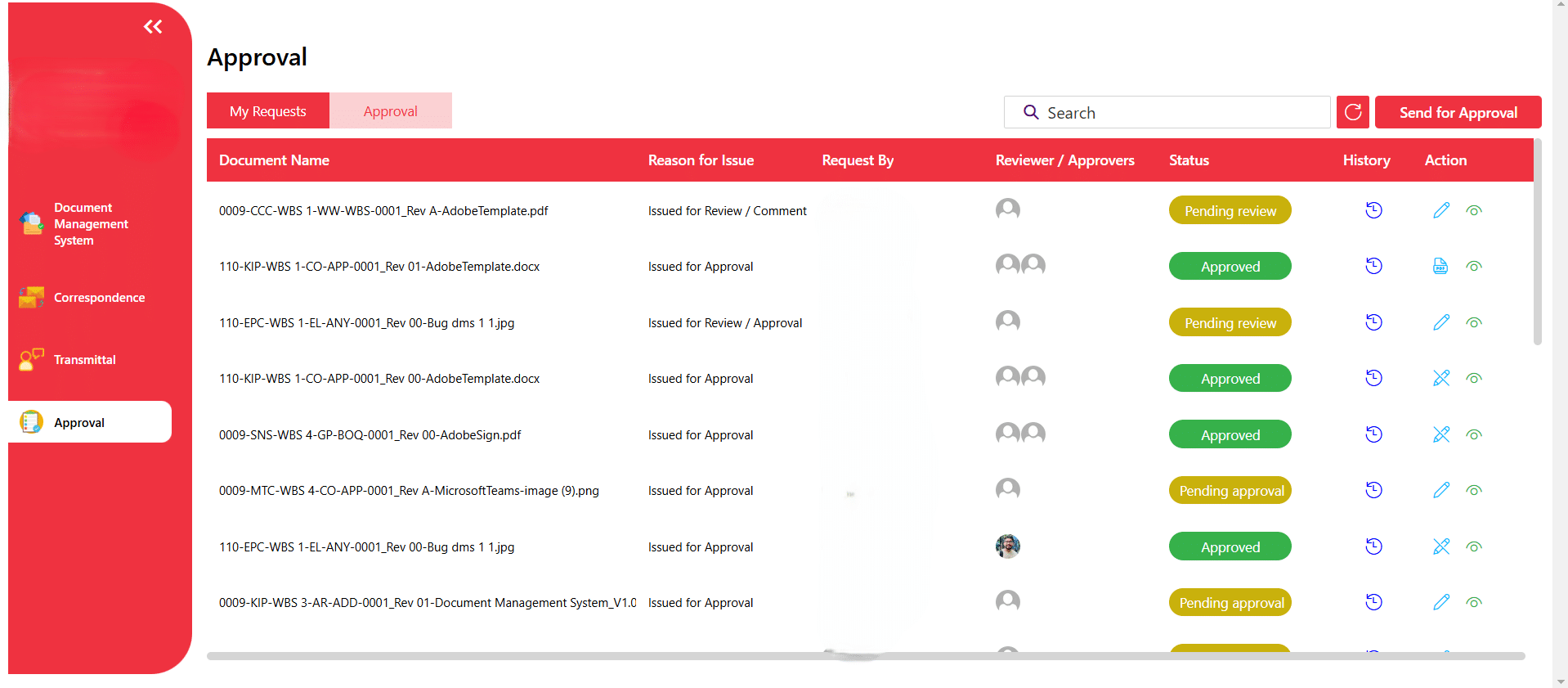
SharePoint automates the entire approval process, automatically moving documents from one approver to the next. Features like tracking document status and correspondence numbers help ensure transparency, speeding up the approval process and saving time for management.<br>

<b>Integrated Digital Signatures and Secure Sharing:</b><br>
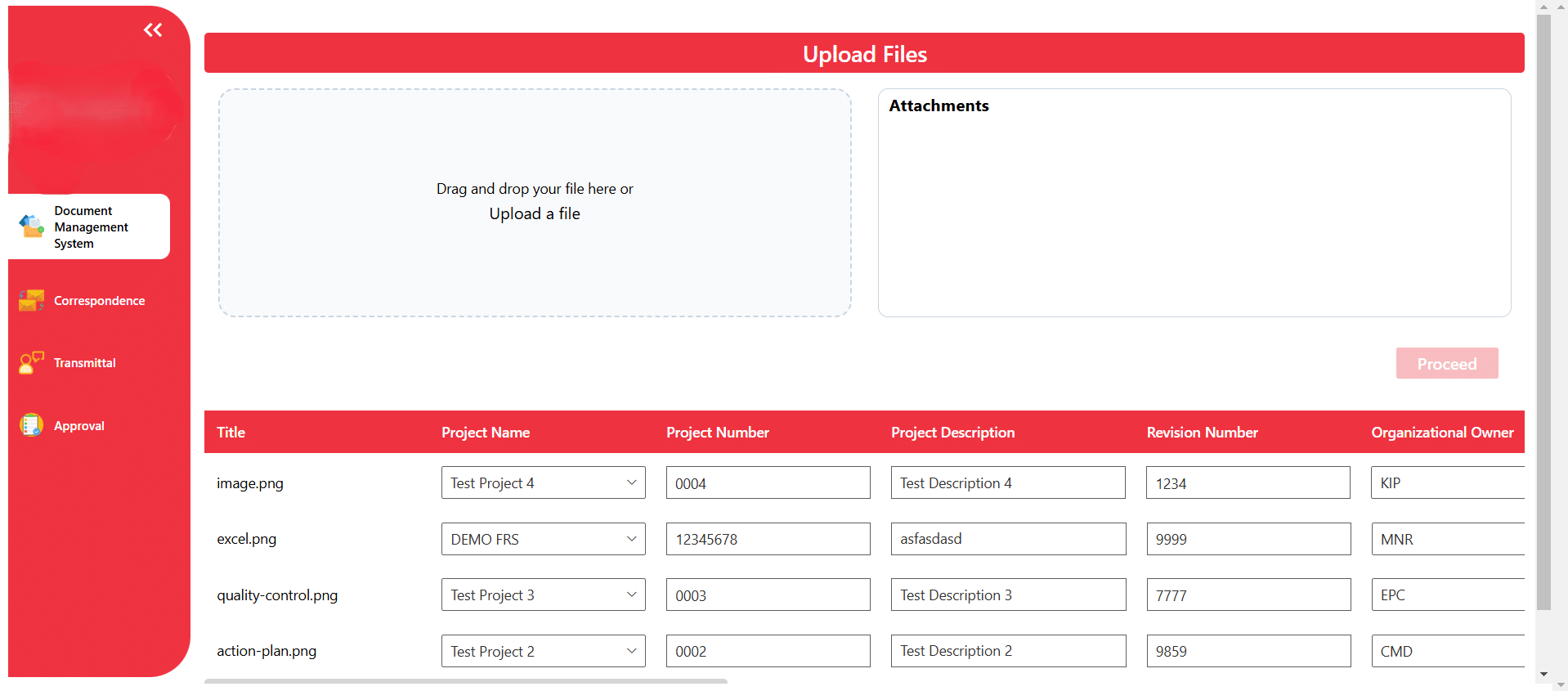
We have integrated SharePoint with DocuSign, enabling fast document approvals. It also facilitates secure document sharing between departments, with strict controls to ensure only authorized individuals access the right files. Additionally, SharePoint’s one-time payment model reduces long-term costs by eliminating the need for multiple licenses.

The Benefits

01

Increased Time.

Without SharePoint’s one-by-one stage approval process, the company saved a lot of time. It cut down on needing people to step in at each stage, making everything move faster and more smoothly.

02

Streamlined and Transparent Approvals.

The automated workflow ensures that documents are routed to the appropriate people at each stage of approval, eliminating the need for manual forwarding. This reduces delays and ensures a clearer, more organized approval process.

03

Improved Security and Accessibility.

SharePoint offers secure document storage and sharing. Each department has its own secure folder, ensuring sensitive information remains protected. This also ensures compliance with data protection regulations, as only authorized personnel can access specific documents.

Resources

AI .20 Min read

Salesforce Implementation in Australia: A Complete Guide for Businesses in 2026

AI .15 Min read

Azure Migration Services: Step-by-Step Strategy & Checklist

AI .15 Min read

Power Pages for Customer Portal: The Complete 2026 Guide

Roca case study

SharePoint (with automated workflow configuration)

Digital Transformation in Engineering and Construction Operations

How Roca Gained Faster Approvals and Better CAPEX Control with SharePoint.

Stay Informed & Improve Usability: Smart Alerts &...

Welcome to the latest edition of the TechnoRUCS newsletter! In this issue, we’re sharing two quick …..

Restrict Downloads in SharePoint & Export Data to Power BI

Welcome to the latest edition of the TechnoRUCS newsletter! We continue to share powerful Microsoft tips and tricks…..

Restrict Downloads in SharePoint & Export Data to Power BI

Welcome to the latest edition of the TechnoRUCS newsletter! We continue to share powerful Microsoft tips and tricks…..

Ready to transform your business?

Connect with us today and begin your digital evolution!
Monkey - Cartoon Image

Explore our case study on Transforming Data Management Efficiency with Power Automate

Increase in Transforming Data Management Efficiency