Microsoft Stack for Construction Businesses That Scale

Microsoft Stack for Construction Businesses: A Complete Guide

Business owners in the construction industry know it has never been easy to run projects reliably and still protect margins. Costs and regulations keep increasing, projects are harder to deliver as planned, and it is not getting any easier to find the right people to plan, manage, and execute the work.
At the same time, studies say that by 2030, better ways of working and smarter use of digital tools could lift productivity in this industry by roughly 14–15% and cut project costs by 4–6%. This post is about the everyday operational issues that stop businesses from reaching that potential and what needs to change to actually close the gap.

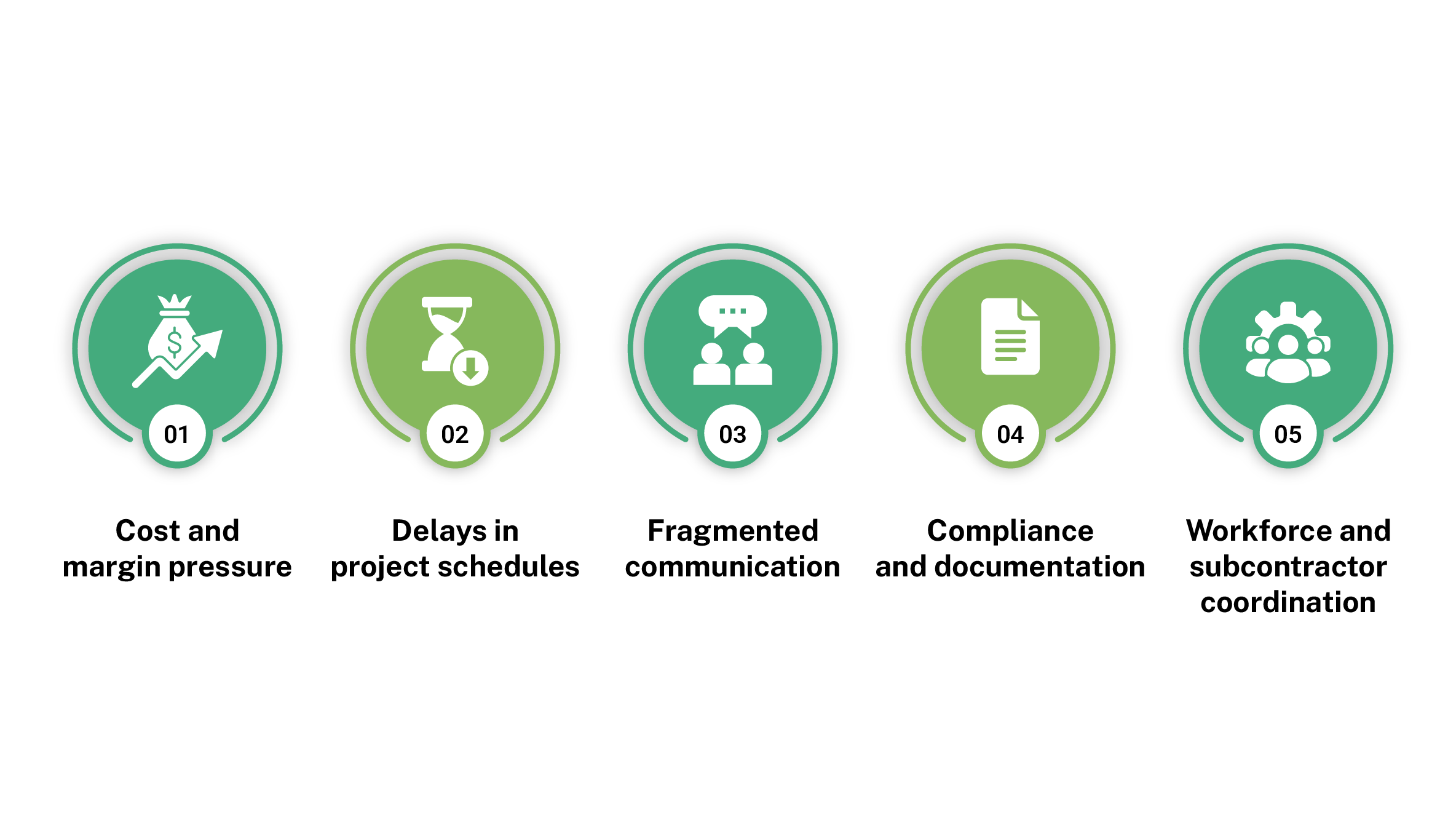
Operational Challenges in Construction Projects
Workflow automation is the use of rule-based logic and software to move work through a predefined sequence of steps automatically. When a trigger occurs (a form submission, an email, a database update), the system kicks off the next action without anyone having to start it manually. It encodes the “what happens next” logic your team already follows and executes it automatically.

Cost and Margin Pressure

Project margins are hit by rising input costs, change orders, rework, and day‑to‑day site decisions that are not visible in real time. Owners often see one or two percentage points of margin disappear across a year without a single, obvious cause to point to.

Delays in Project Schedules

Delays come from late design changes, slow approvals, unclear scope, poor planning, weather, and permit issues. Dates move in small steps and, by the time the delay is clearly visible in reports, recovering the schedule usually means extra cost, extra supervision, or difficult conversations with clients.

Fragmented Communication and Information

Key information is split across emails, chats, paper, and separate systems, so office and site teams often work from different versions of the truth. This leads to misunderstandings, duplicated effort, rework, avoidable risk, and a lot of time spent chasing basic updates that should be visible without asking.

Compliance, Documentation, and Evidence

Permits, inspection logs, safety records, and contract notices are still often tracked manually or in scattered spreadsheets and shared drives. Missing, inconsistent, or late documentation makes audits, claims, and incident investigations harder to defend and increases both regulatory and legal risk for the business.

Workforce and Subcontractor Coordination

Labour shortages, inexperienced staff, and multiple subcontractors make day‑to‑day coordination difficult, even on well‑planned jobs. Weak planning and unclear responsibilities around who does what, and when, turn into idle time, clashes on site, disputes, and more effort spent managing issues instead of progressing the work.

What Needs to Change Operationally

  • Visibility: Better visibility of time, cost, progress, and risks so owners and project leaders can see project and portfolio status clearly without digging through multiple spreadsheets, emails, and reports every time they need to make a decision.
  • Processes: Standardized processes for planning, change, approvals, safety checks, and incident reporting so projects follow the same playbook instead of each team running its own version of “how we do things here”.
  • Accountability: Clearer roles and accountability between internal teams and subcontractors, with tasks and approvals tied to specific responsibilities rather than whoever is available on the day.
  • Early Action: Better ability to spot and act on issues early by reviewing key indicators regularly and linking what happens on site to programme, cost, and risk before problems show up in month‑end numbers

Why Do Engineering Projects Need a Document Management System?
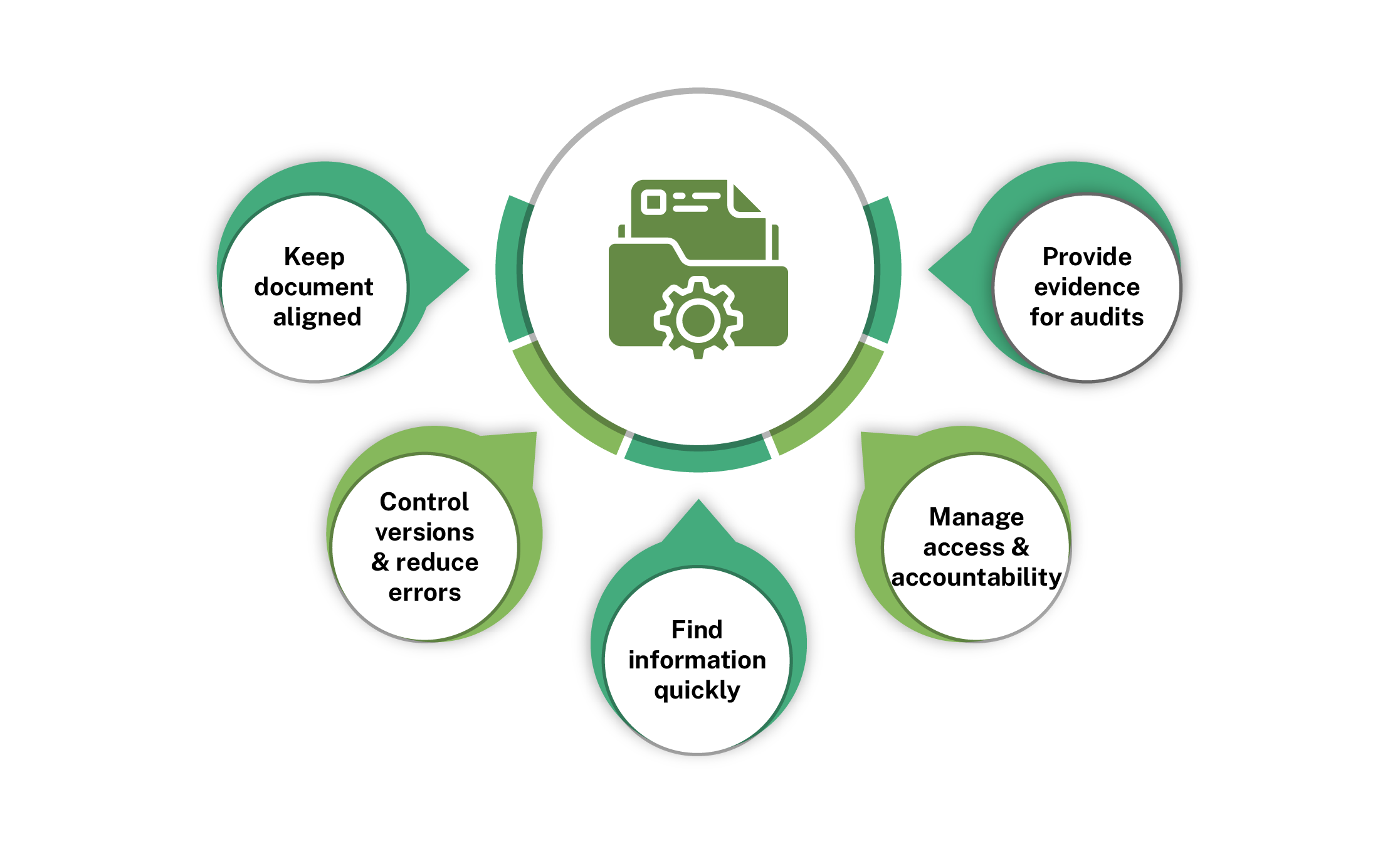
  1. Keep documents aligned with what is built: A DMS stores drawings, models, methods, RFIs, contracts, emails, and records in one controlled place instead of scattered locations, so design intent, site changes, and final as‑built documents stay consistent and traceable across the entire project lifecycle.
  2. Control versions and reduce errors:A DMS tracks every revision, so teams see the current drawing, method, or specification and which versions are superseded, reducing rework and mistakes from using outdated information while preserving a complete change history for governance, audits, and technical reference.
  3. Find information quickly under pressure: Structured libraries and metadata allow filtering by project, discipline, status, document type, or revision, so engineers and site teams can retrieve critical information quickly for decisions, client queries, or inspections instead of wasting time searching shared drives and inboxes.
  4. Manage access and accountability: A DMS enforces permissions on sensitive documents and records, who viewed, downloaded, or changed each file and when, strengthening internal controls, supporting segregation of duties, and ensuring external parties only access the specific information required to deliver their scope.
  5. Provide evidence for claims and audits: A DMS shows which documents were issued, reviewed and approved at each stage, including timestamps and comments, giving reliable evidence for variations, disputes, insurance, regulatory checks and quality audits instead of relying on ad‑hoc folders and incomplete email trails.

Microsoft 365 as a Unified Project System

Microsoft 365 acts as a unified environment for project activities, reducing the need to manage separate tools across different teams and functions, while ensuring information remains consistent and easier to manage throughout the project lifecycle.
Microsoft 365 → Enables collaboration, security, and core business services
SharePoint → Centralized document management system for projects, drawings, and files
Power Platform → Custom apps and automated workflows for timesheets, safety, and field operations.

SharePoint as Project DMS

Microsoft SharePoint is a web-based document management and collaboration platform within Microsoft 365 that helps organizations store, organize, and manage information securely. It provides structured libraries, access controls, and integration with other Microsoft tools, enabling teams to manage project-related documents and data in a centralized digital environment effectively.
Key document management capabilities include:
  • Maintains version history for drawings and project documents with full revision tracking
  • Records timestamps and user-level changes for audit and accountability
  • Classifies documents using metadata such as project, discipline, and status
  • Enables faster retrieval through structured libraries and filtering
  • Controls access using role-based permissions across stakeholders
  • Supports secure and organized collaboration on project documentation
For construction businesses, SharePoint improves coordination by keeping drawings, RFIs, contracts, and site records aligned across office and field teams. This reduces rework, avoids miscommunication, and ensures that everyone works with the correct information, even as project requirements evolve over time.
It also supports compliance and audit readiness by maintaining structured records of drawing approvals, inspection reports, safety documents, and contract communications. This helps construction businesses provide clear evidence during site audits, client reviews, and claims, while improving project governance and reducing risks from missing or inconsistent documentation.

Microsoft Power Platform Capabilities

The Microsoft Power Platform is a low-code suite that enables businesses to build applications, automate processes, and analyze data without heavy development effort. It integrates with Microsoft 365 to extend core capabilities and support connected digital workflows across operations.
Power Automate automates workflows by triggering actions based on events such as approvals, notifications, and data updates.
In construction, it helps by:
  • Automating drawing approvals and document review workflows
  • Routing inspection reports and site updates to relevant stakeholders
  • Managing change requests with defined approval processes
  • Triggering alerts and notifications for pending tasks
  • Reducing manual follow-ups across project activities

This improves process consistency and reduces dependency on manual coordination across projects. It also helps maintain better control over timelines, approvals, and day-to-day operations.

How to Get Started with Microsoft 365?

Getting started with Microsoft 365 does not require a full transformation from day one. Most construction businesses begin by focusing on one or two high-impact areas and then expand based on results.
  • Start with document control: Use Microsoft SharePoint to centralize drawings, RFIs, contracts, and site records. This creates a single, structured location for all project documentation.
  • Digitize one core process: Identify a repetitive or manual workflow such as inspections, approvals, or timesheets and automate it using Microsoft Power Platform. This delivers immediate efficiency gains.
  • Standardize workflows gradually: Define how approvals, document reviews, and site updates should move across projects. Automate these processes step by step instead of trying to implement everything at once.
  • Enable visibility with dashboards: Start tracking key metrics like progress, delays, and approvals using simple dashboards. This helps decision-makers act earlier and with better context.
  • Scale based on usage and needs: Once the initial setup is stable, expand to additional processes, projects, and teams. A phased approach reduces disruption and ensures adoption across the organization.

Final Thoughts

Construction businesses already know where the pressure is. Costs rise, deadlines shift, and site staff rarely have the same picture as the office. Solving these issues doesn’t require reinvention. A well-configured Microsoft stack brings visibility, process discipline and accountability to everyday operations, turning a fragmented way of working into one that’s actually manageable.

FAQs

What does Microsoft 365 include?

Microsoft 365 includes tools like Microsoft Teams, Microsoft SharePoint, Outlook, Word, Excel, PowerPoint, OneDrive, and security features for collaboration, document management, communication, and productivity.

Do we need to implement all Microsoft tools at once?

No. Most businesses start with one or two high-impact areas like documents or safety, then expand. A phased approach reduces disruption and lets teams build confidence before adding more.

Does Microsoft have a construction scheduling tool?

Microsoft does not offer a dedicated construction scheduling tool, but Microsoft Project and Microsoft Planner are commonly used to plan, schedule, and track project timelines effectively.

Which Microsoft tool is best for project planning?

Microsoft Project is best for detailed project planning with timelines, dependencies, and resource management, while Microsoft Planner suits simpler task tracking and team-level coordination.

What happens to existing project data when we switch to the Microsoft Stack?

Existing data migrates into SharePoint or Dynamics 365 without starting from scratch. A structured migration plan ensures nothing is lost and work continues without disruption.

Does Microsoft 365 only work for large construction firms?

No. Mid-size and specialist contractors benefit significantly, often more so, because the efficiency gains are proportionally larger. Many Microsoft 365 tools are already licensed, so the incremental cost to configure them properly is relatively low.

Share This Post

More To Explore