Businesses deal with large volumes of data across sales, marketing, finance, and operations. But without the right way to present it, data remains difficult to interpret and use. Reports take time, insights get delayed, and decision-making slows down.
Why Businesses Use Power BI Dashboards
Clear Insights: Organizes and visualizes data so teams can understand trends and performance without relying on spreadsheets, making it easier to interpret information and act on insights quickly and consistently.
Automated Tracking: Updates metrics automatically as data changes, removing the need for repeated manual reporting and helping teams save time while ensuring information remains accurate and consistently available.
Centralized Metrics: Combines data from multiple sources into one view, ensuring everyone works with consistent information, reducing confusion, and improving coordination across teams involved in different business functions.
What Makes a Good Power BI Dashboard
- Clear KPIs Metrics should be clearly defined and directly tied to business goals, so users understand what is being measured without confusion or unnecessary interpretation.
- Usable LayoutInformation should be structured in a clean and logical way, allowing users to navigate easily and focus on important data without getting distracted by clutter.
- Updated Data Data should be refreshed regularly to ensure accuracy, so decisions are based on current information rather than outdated reports or delayed updates.
- Actionable Insights The dashboard should highlight patterns, trends, or issues clearly, helping users take action instead of just viewing data without knowing what to do next.
Power BI Dashboard Examples by Use Case
Power BI Sales Dashboard Examples
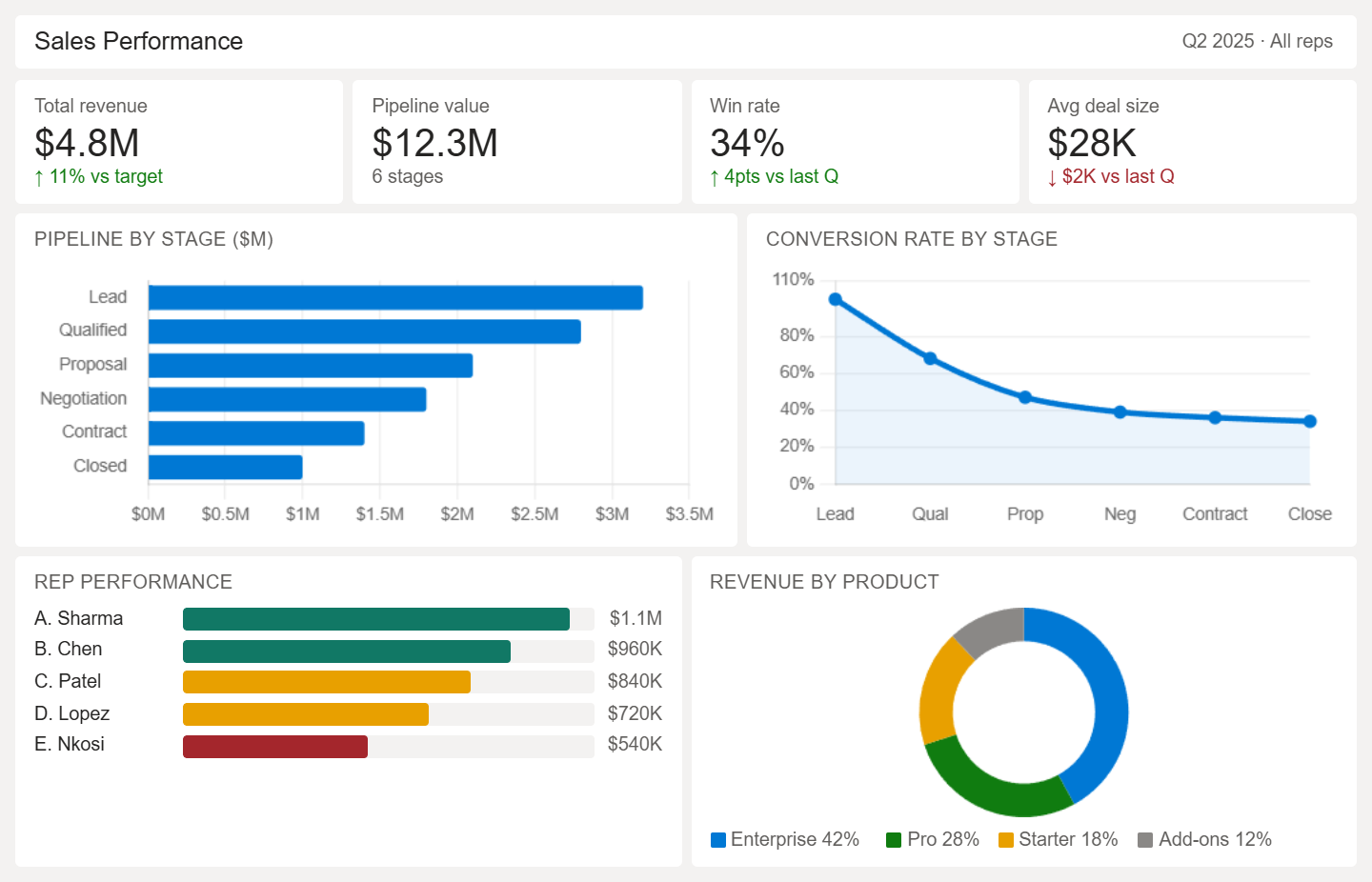
- Tracks revenue against targets over time periods
- Breaks the pipeline into stages from lead to closure
- Measures conversion rates between stages
- Compares sales reps by deal value and win rate
- Tracks average deal size and sales cycle length
- Shows product contribution to revenue
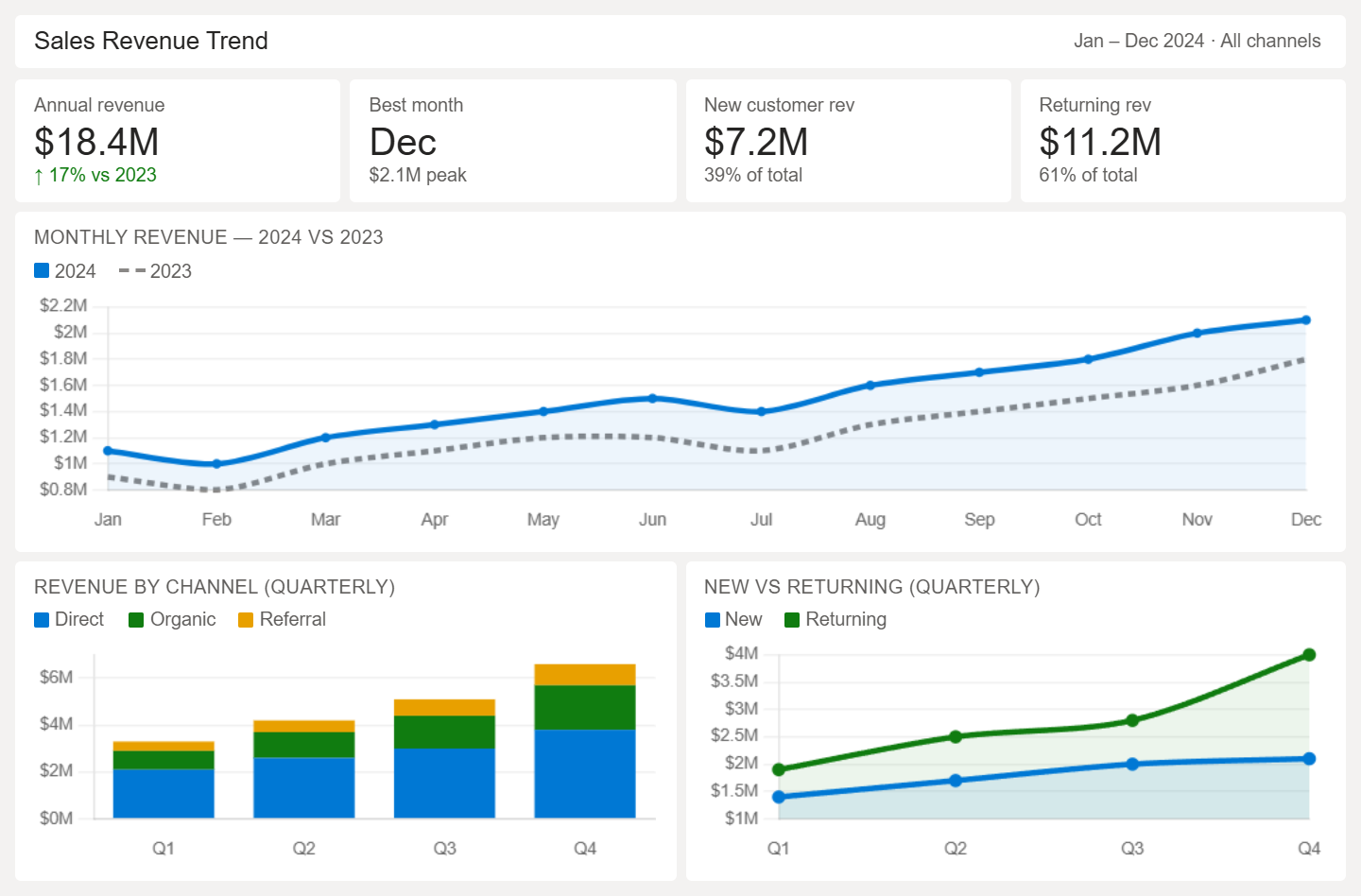
- Tracks revenue across daily, monthly, and yearly timelines
- Compares performance across different periods
- Highlights seasonal spikes and slowdowns
- Breaks revenue by product, category, or channel
- Separates new and returning customer revenue
- Links revenue changes to campaigns or events
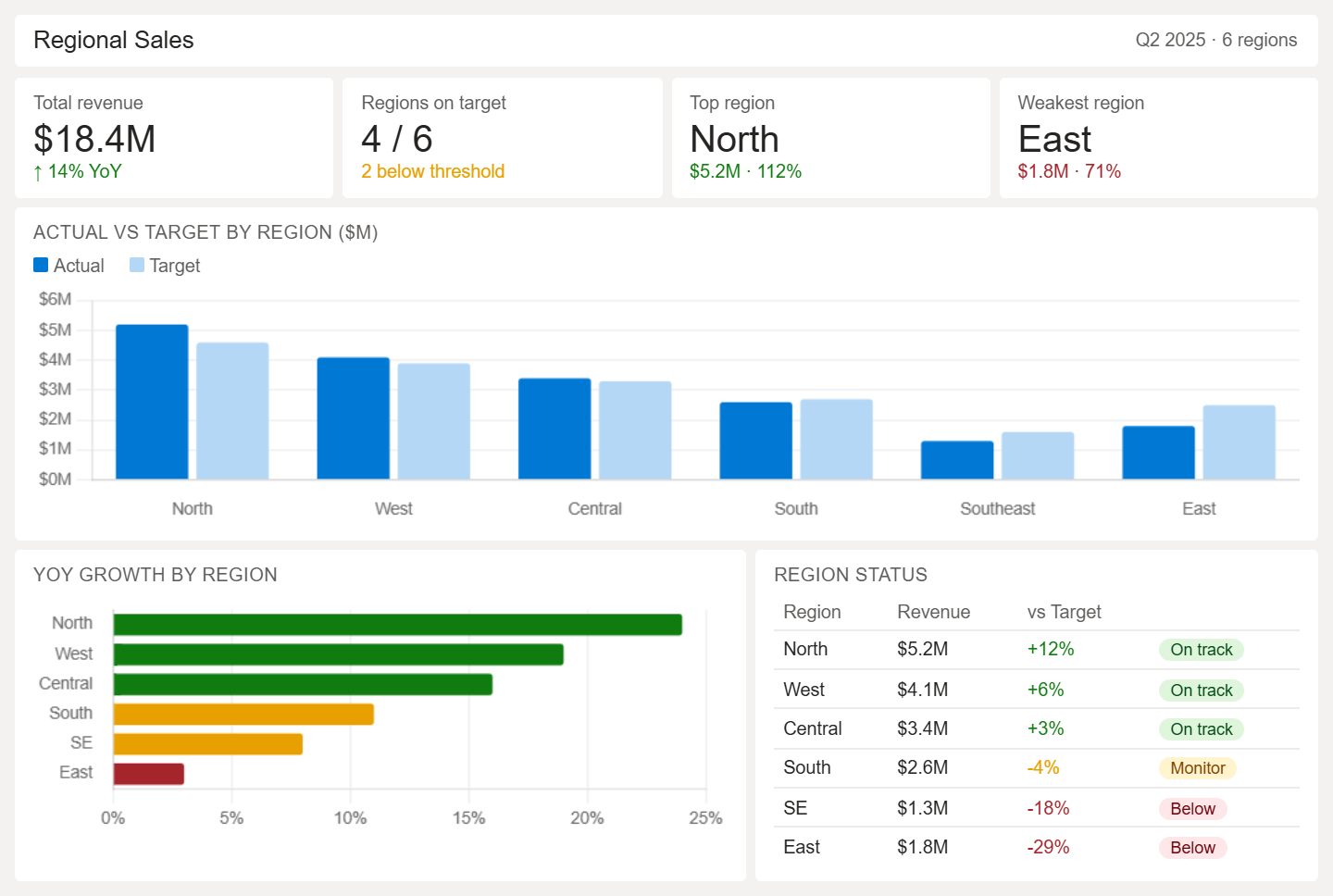
- Shows revenue distribution across regions, cities, or territorie
- Compares growth rates across locations over time
- Tracks target vs actual performance by region
- Identifies top and underperforming areas
- Highlights product demand differences
- Reveals gaps in coverage and weak territories
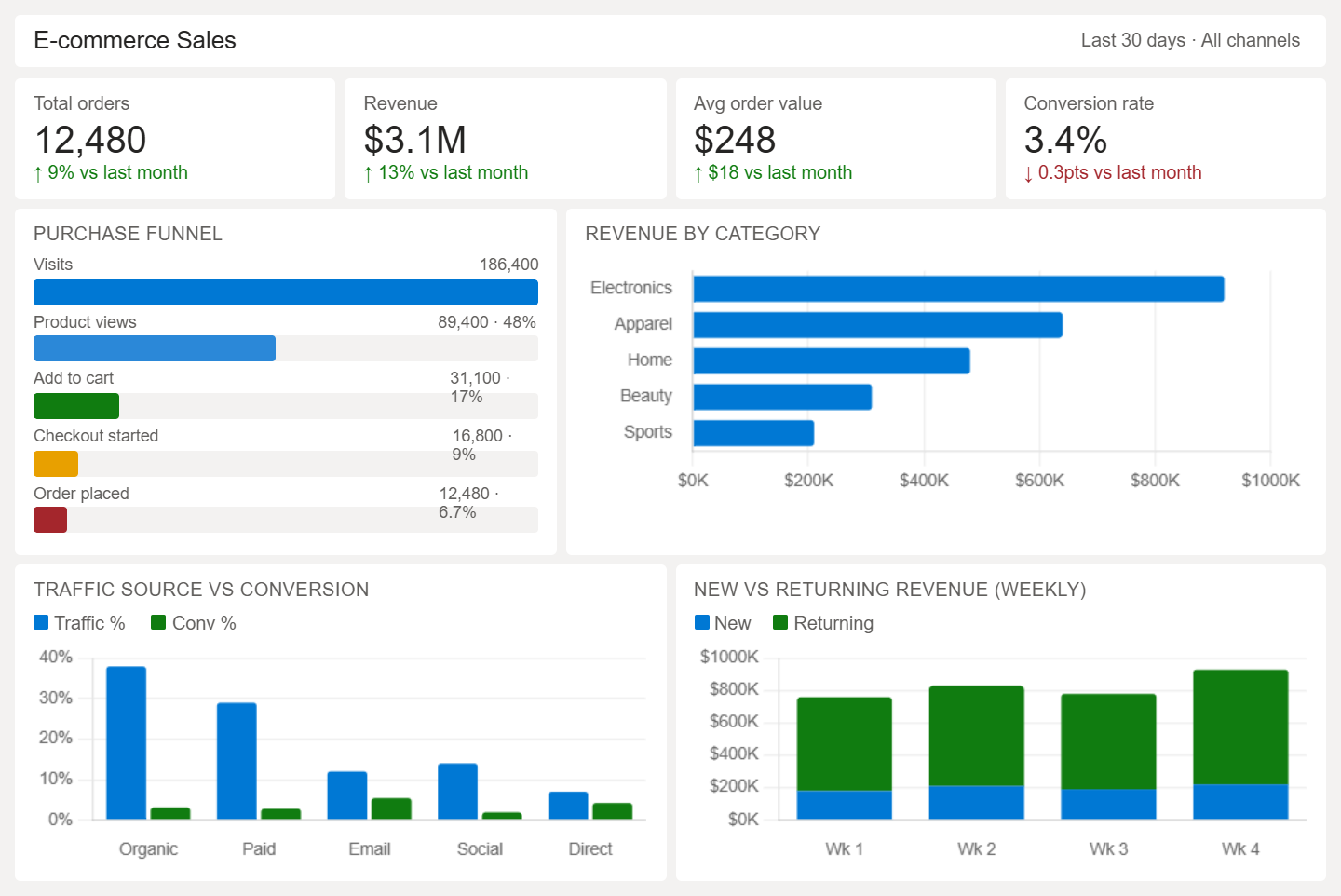
- Tracks total orders, revenue, and average order value
- Measures conversion rates from visits to purchases
- Identifies cart abandonment points
- Analyzes product performance by category
- Breaks down traffic sources and impact on conversions
- Compares new vs returning customer behavior
Power BI Marketing & SEO Dashboard Examples
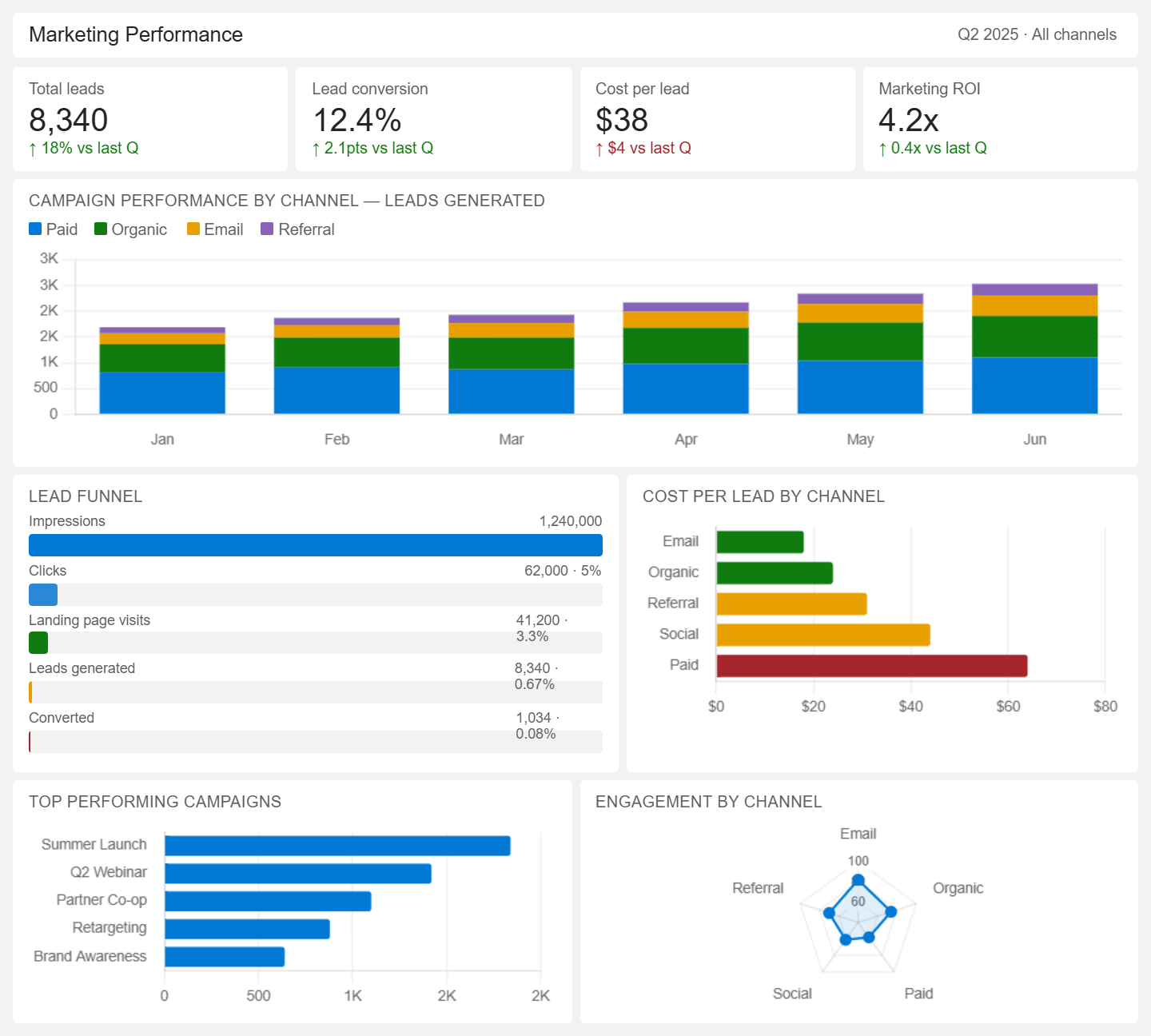
- Tracks campaign performance across channels and time periods
- Measures lead generation and conversion rates from campaigns
- Compares the performance of paid, organic, and referral traffic
- Analyzes cost per lead and return on marketing spend
- Shows engagement metrics across campaigns and audiences
- Identifies top-performing campaigns and weak areas
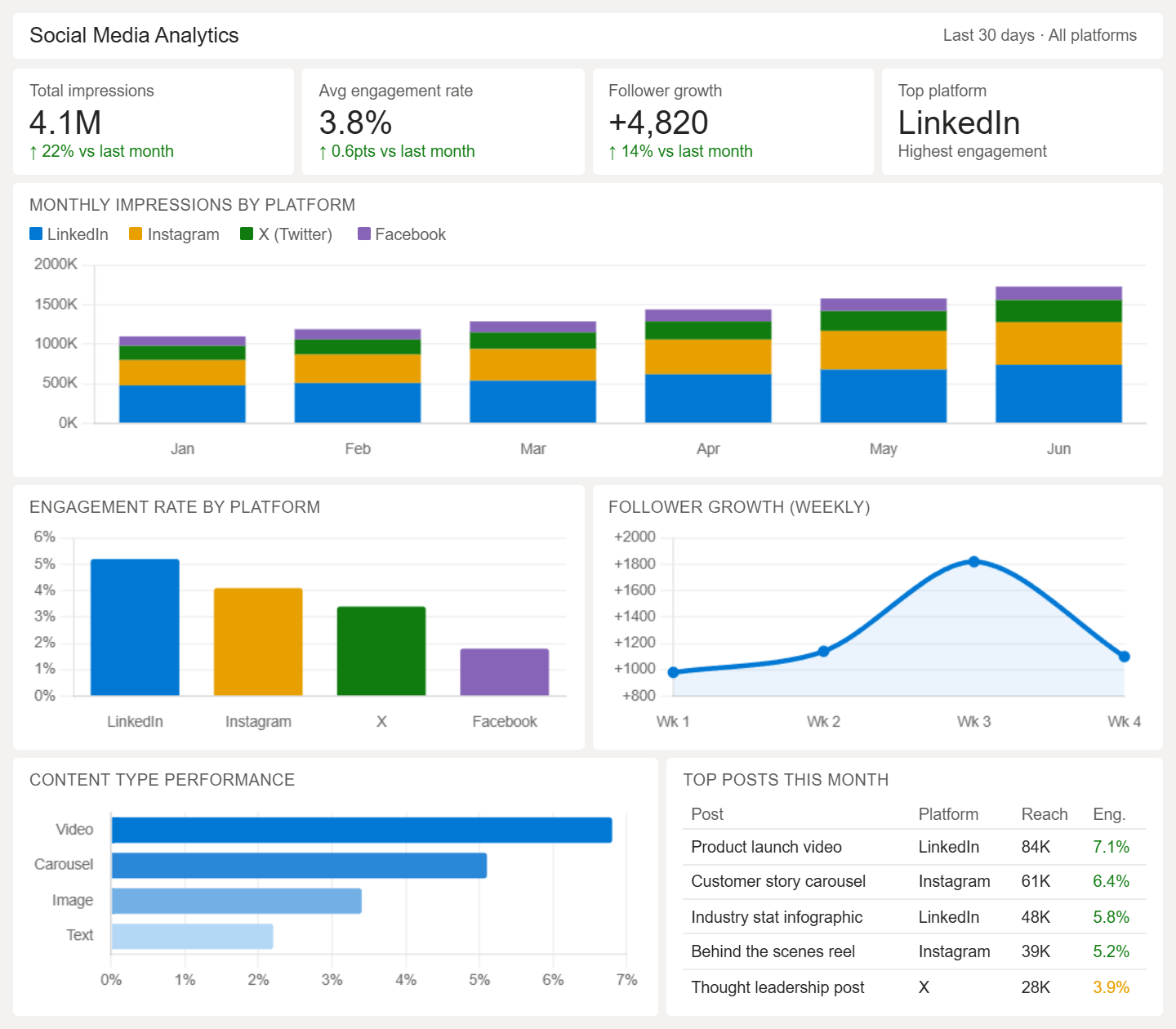
- Tracks engagement metrics like likes, shares, and comments
- Measures reach and impressions across platforms
- Compares the performance of posts, campaigns, and content types
- Analyzes follower growth and audience trends
- Identifies best-performing content formats and topics
- Shows platform-wise traffic and engagement contribution
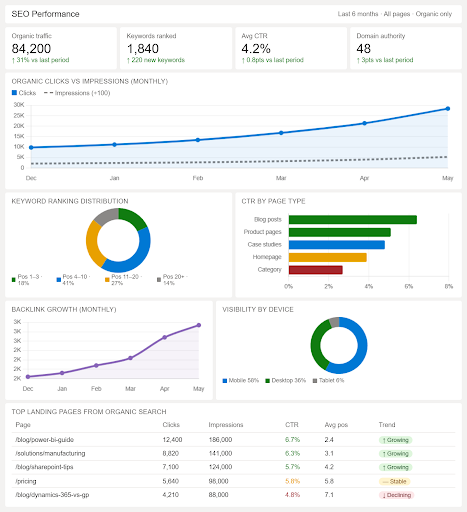
- Tracks organic traffic trends across time periods
- Measures keyword rankings and visibility changes
- Analyzes click-through rates and impressions
- Shows top-performing landing pages from search
- Tracks backlinks and domain authority trends
- Identifies pages with high and low SEO performance
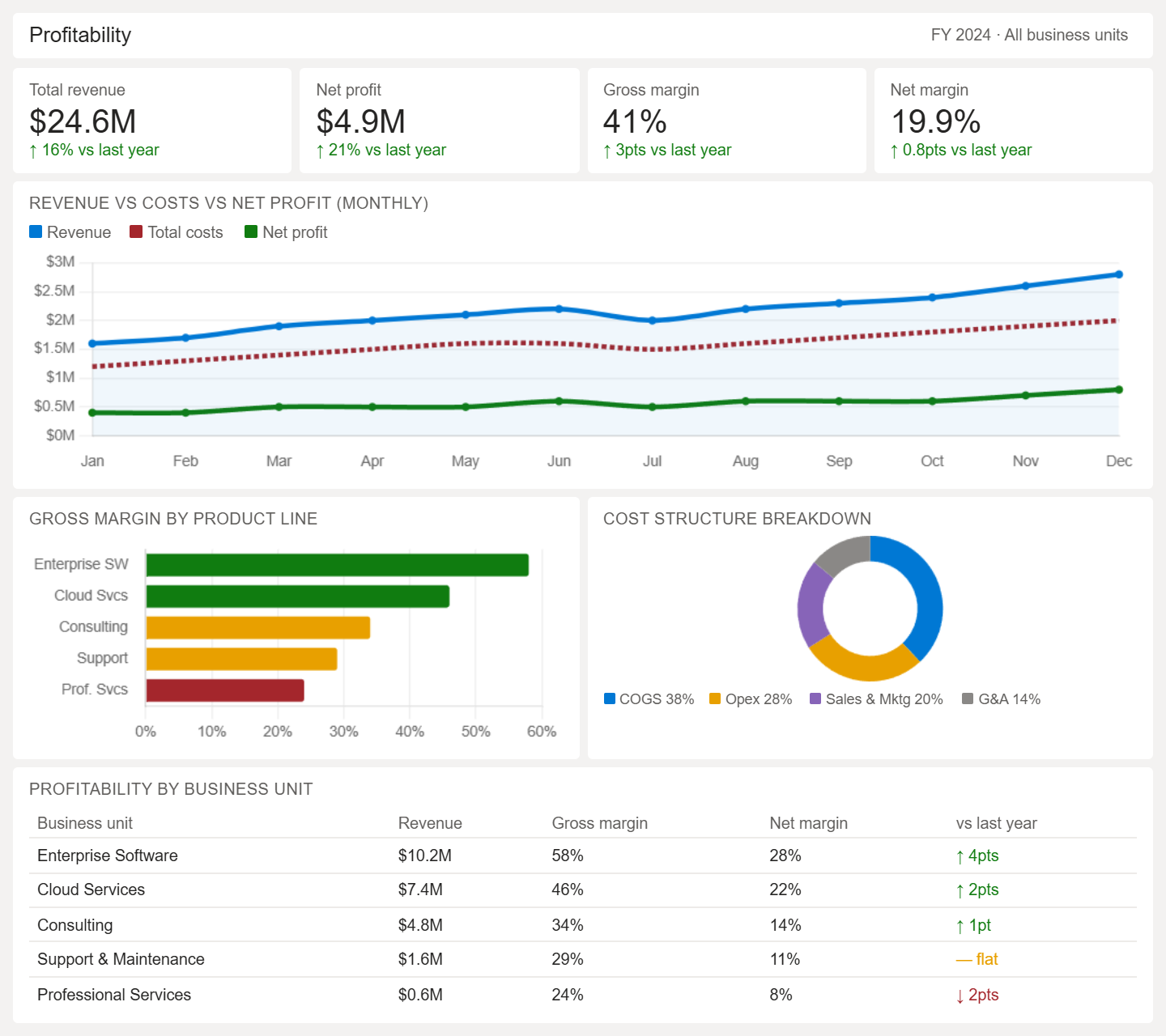
- Tracks total revenue, costs, and net profit over time
- Breaks down profitability by product, service, or business unit
- Compares gross margin and net margin across periods
- Identifies high-profit and low-profit areas of the business
- Analyzes cost structure, including fixed and variable costs
- Highlights trends that impact overall business profitability
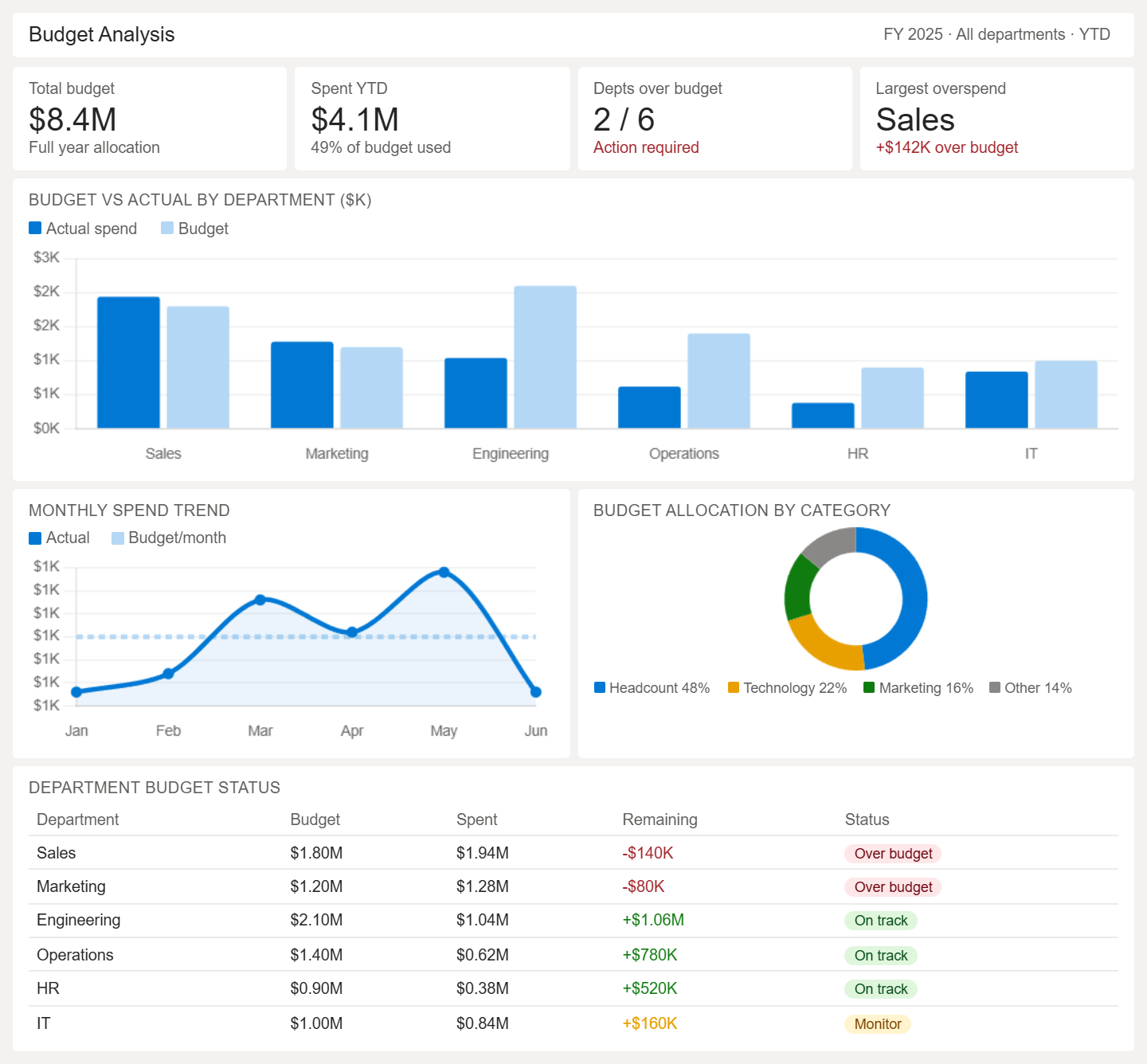
- Compares budgeted vs actual expenses
- Tracks spending by department or cost center
- Identifies budget overruns and savings
- Analyzes monthly or quarterly budget trends
- Shows allocation of funds across categories
- Highlights areas of overspending or underutilization
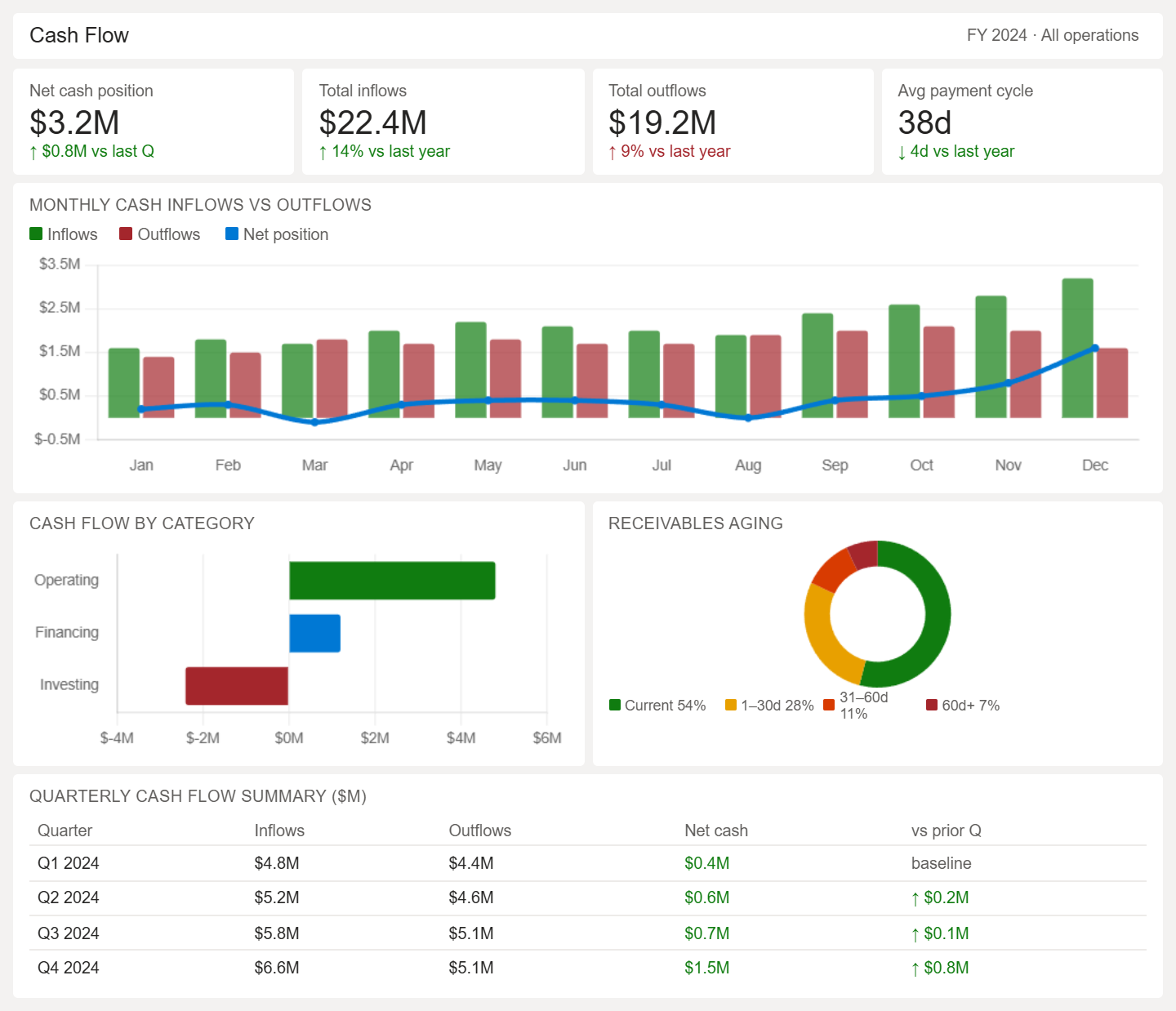
- Tracks cash inflows and outflows over time
- Shows operating, investing, and financing cash flow
- Monitors net cash position and liquidity levels
- Analyzes payment cycles and receivables
- Identifies cash shortages or surplus periods
- Highlights cash flow trends for financial planning
Power BI Operational Dashboard Examples
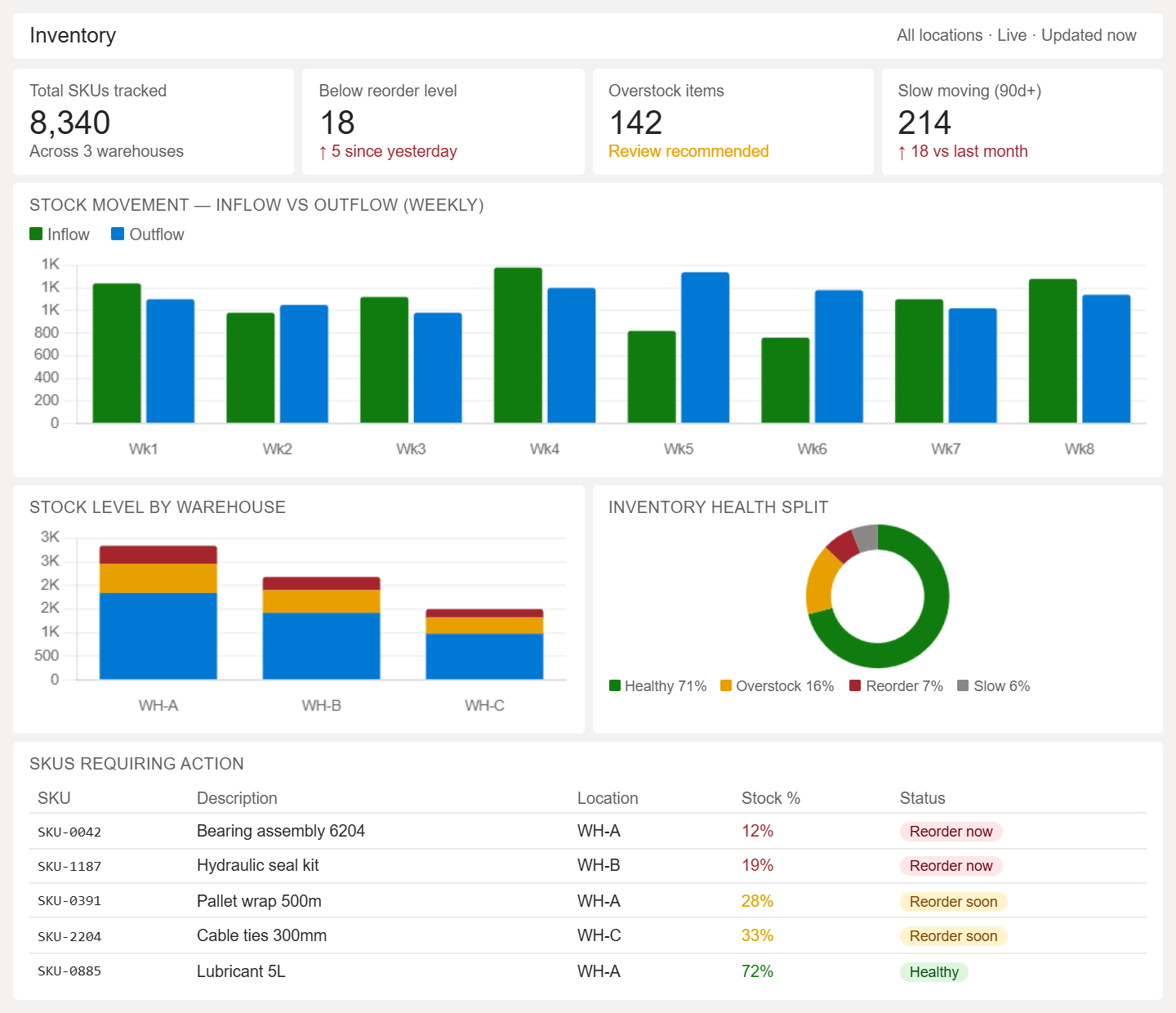
- Monitors current stock levels across items and locations
- Tracks stock movement, including inflow and outflow
- Identifies slow-moving and fast-moving inventory
- Highlights stock shortages and overstock situations
- Analyzes reorder levels and replenishment needs
- Shows product-wise inventory distribution
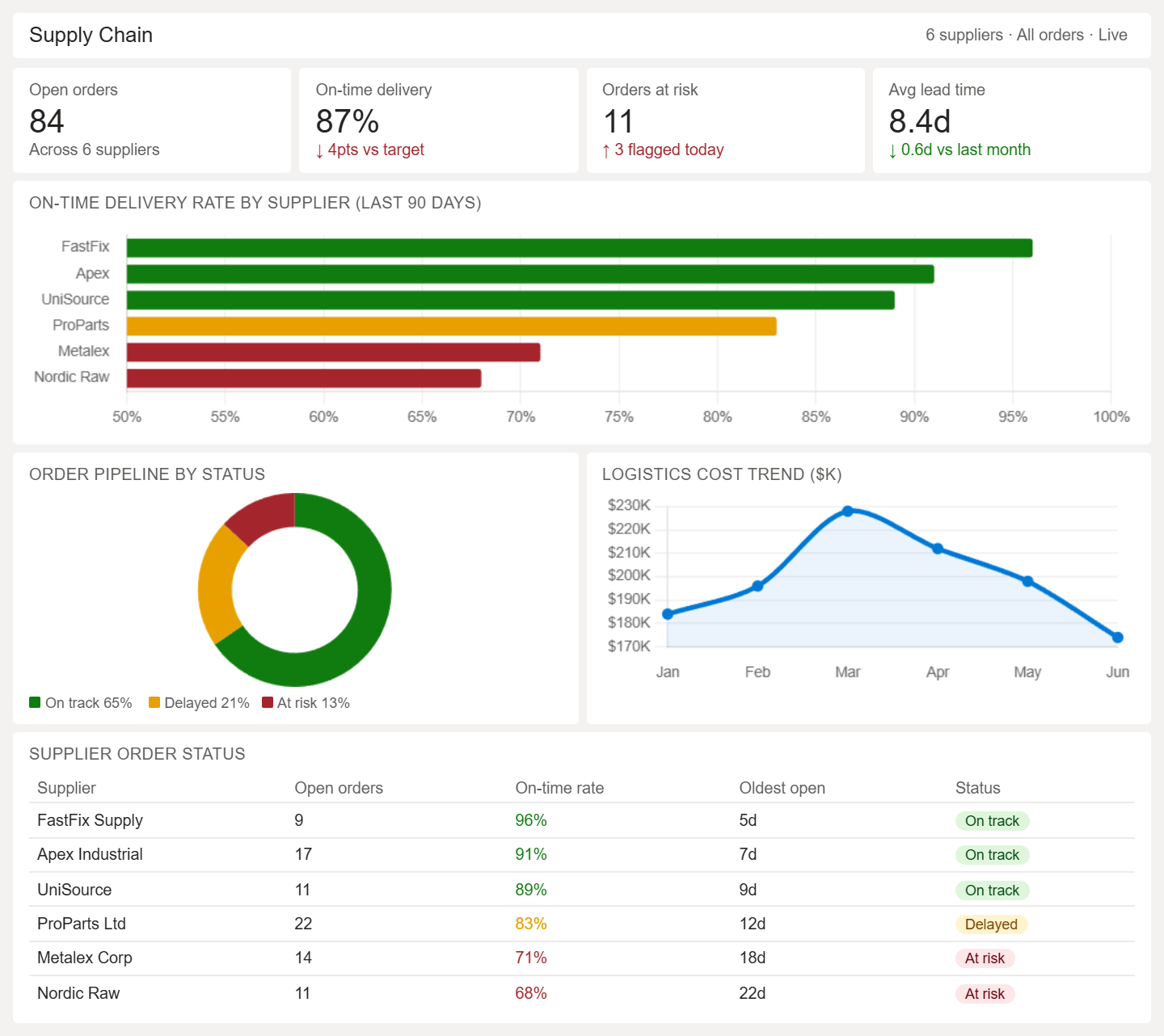
- Tracks supplier performance and delivery timelines
- Monitors procurement, production, and distribution flow
- Identifies delays and bottlenecks in supply chain stages
- Analyzes logistics costs and transportation efficiency
- Shows inventory movement across supply chain nodes
- Highlights order fulfillment status and leadtimes
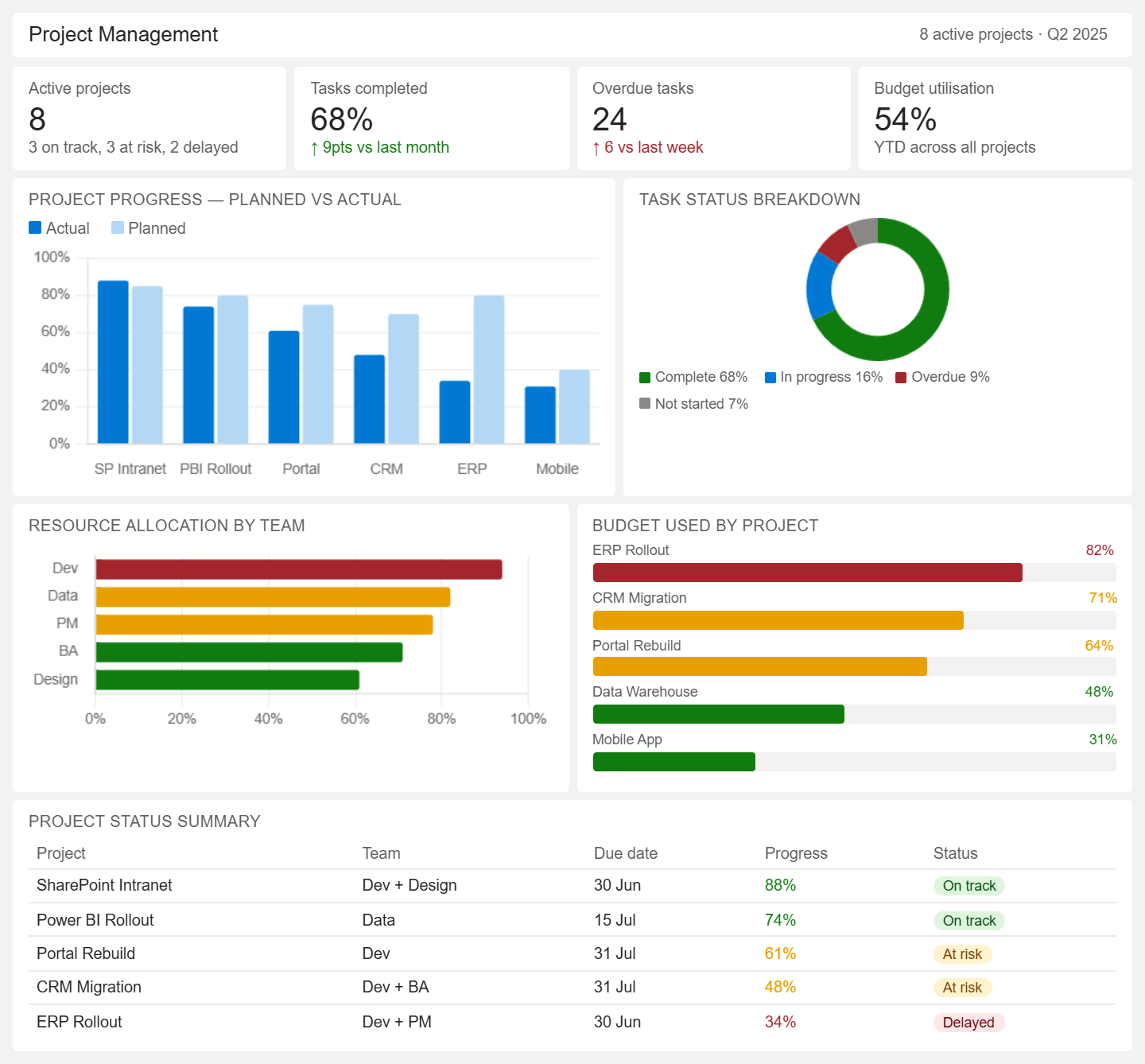
- Monitors project status across timelines and milestones
- Tracks task completion, delays, and pending work
- Analyzes resource allocation and workload distribution
- Compares planned vs actual project progress
- Identifies risks, blockers, and project delays
- Shows budget utilization and project performance
Power BI HR & Executive Dashboard Examples
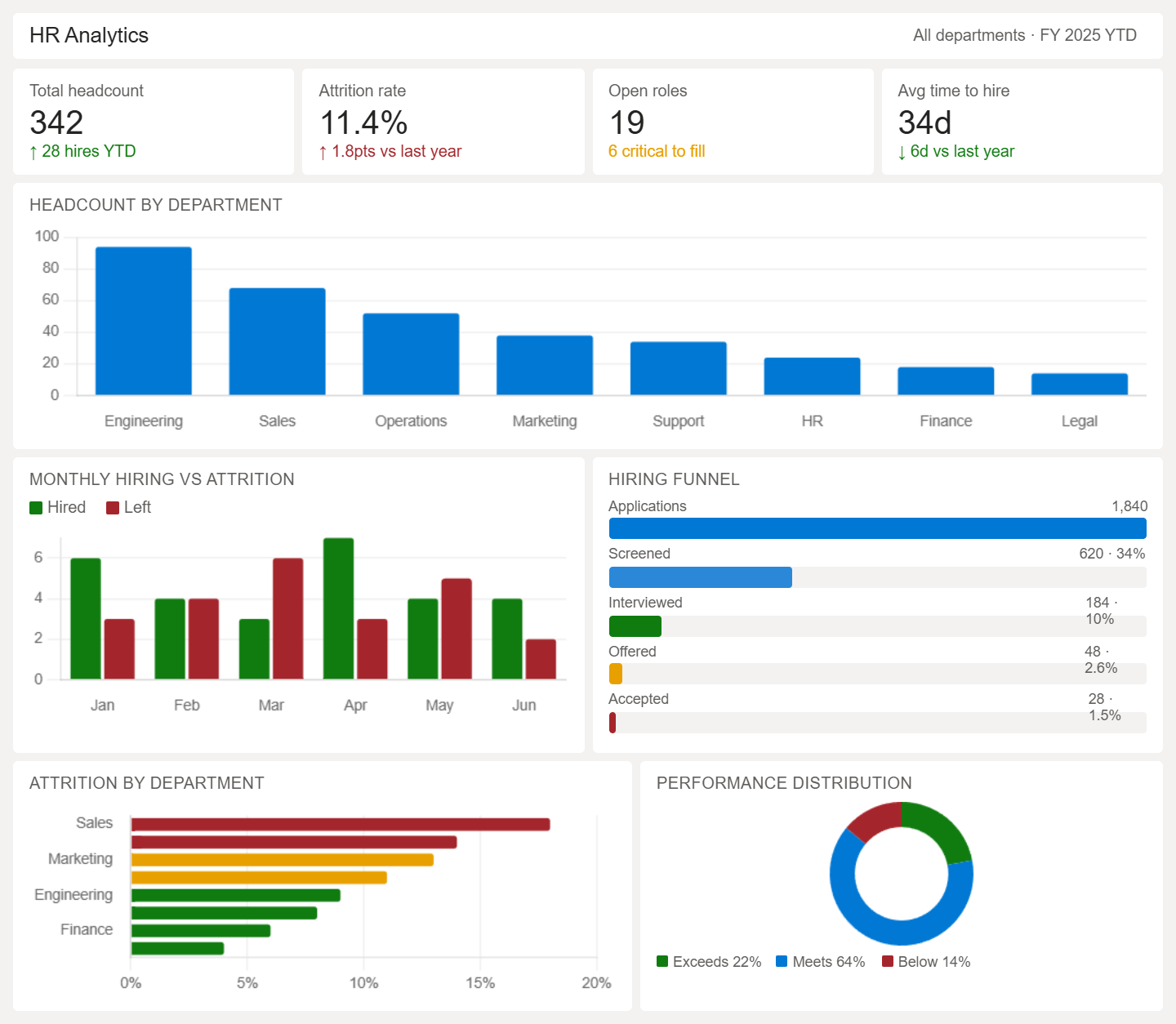
- Tracks employee headcount and workforce distribution
- Monitors hiring, onboarding, and attrition trends
- Analyzes employee performance and productivity metrics
- Shows attendance, leave, and engagement patterns
- Identifies retention risks and turnover trends
- Breaks down workforce data by department or role
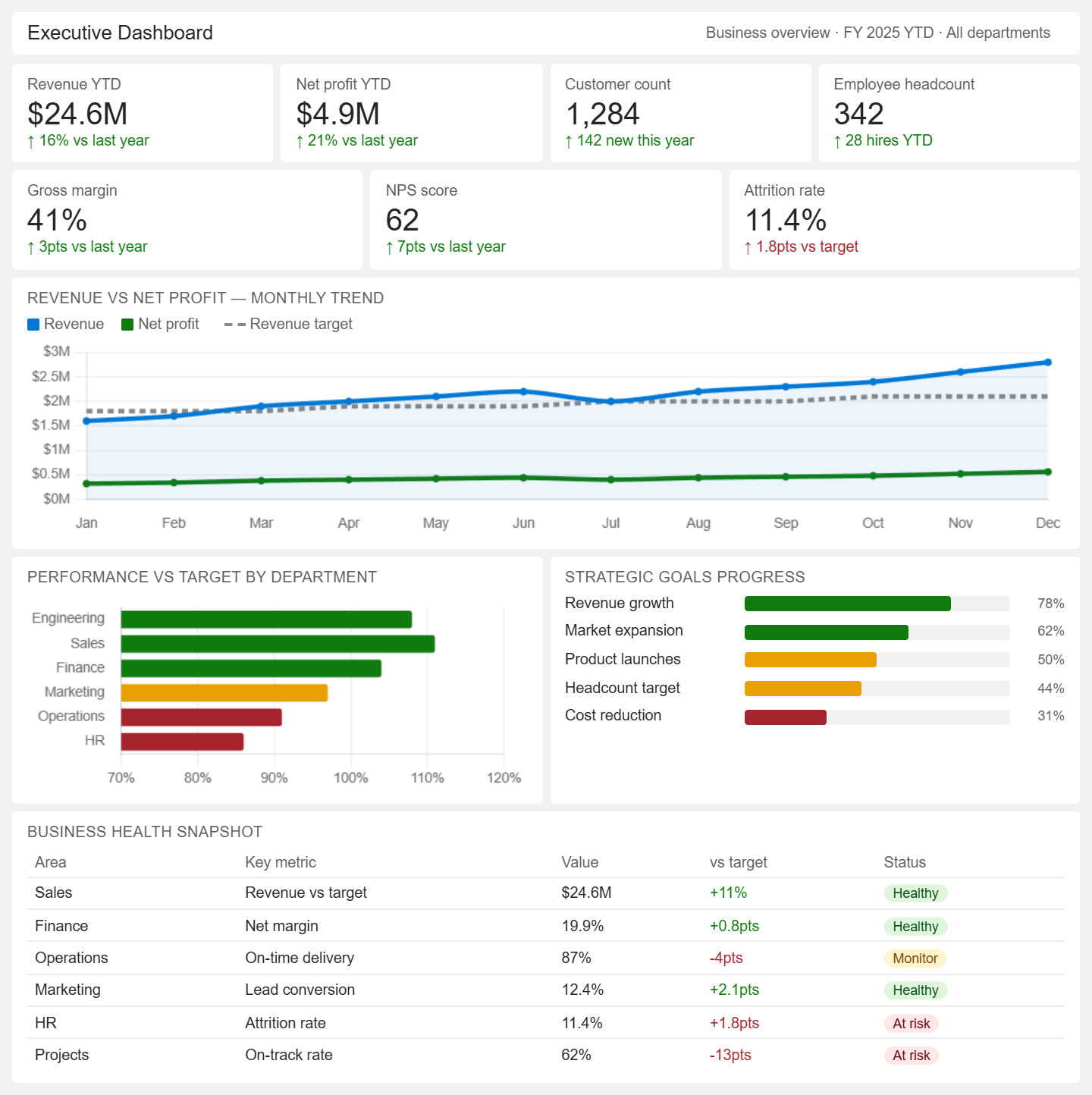
- Consolidates key business KPIs across departments
- Tracks revenue, profit, and overall growth trends
- Monitors operational and financial performance together
- Highlights performance against strategic goals
- Identifies risks and critical business changes
- Provides a real-time snapshot of business health
When to Build Custom Power BI Dashboards
Off-the-shelf vs Custom
Integration Needs
Scaling Requirements
Table of Contents
Talk to our Microsoft Expert Consultant
Conclusion
Share this article

About the Author
Frequently Asked Questions
You can build dashboards around employee productivity, customer lifetime value, supply chain efficiency, or marketing ROI. The key is identifying metrics that directly impact business decisions and aren’t being tracked consistently yet.