How Roca Gained Faster Approvals and Better CAPEX Control with SharePoint.

Platform

Industry

Outcome

80%

Faster Approvals

85%

Better Budget Accuracy

80%

Higher Visibility

Company Overview

Roca began in Spain in 1917 and has grown into a global leader in bathroom and sanitary‑ware solutions. The group operates in over 170 markets and has multiple manufacturing units worldwide. Its presence in India was strengthened through the acquisition of Parryware, broadening its product range. Today Roca combines modern design and sustainability to deliver premium bathroom products.

The Challenge

The company’s capital expenditure process was fully manual, slow, and lacked transparency across locations and projects.

No Centralized Control

Capital expenditure requests were scattered across emails, spreadsheets, and manual documents. With multiple locations and varied project types, the company had no unified place to capture, validate, or monitor requests, leading to frequent discrepancies and data loss.

Broken and Delayed Approvals

The approval chain involved several stakeholders but lacked a defined workflow. Every step required manual follow-ups, causing long processing times, inconsistent approvals, and unnecessary back-and-forth between teams.

Zero Real-Time Visibility for Finance

The CFO and finance team couldn’t see which requests were pending, approved, or overshooting budgets. The manual process offered no transparency, making it difficult to forecast spending or ensure compliance.

Unreliable Budget Tracking Across Projects

Managing budgets for different locations, project categories, and line items was highly error-prone. Consolidating data manually resulted in incorrect reports, delayed decisions, and poor control over fund allocation.
The Solution

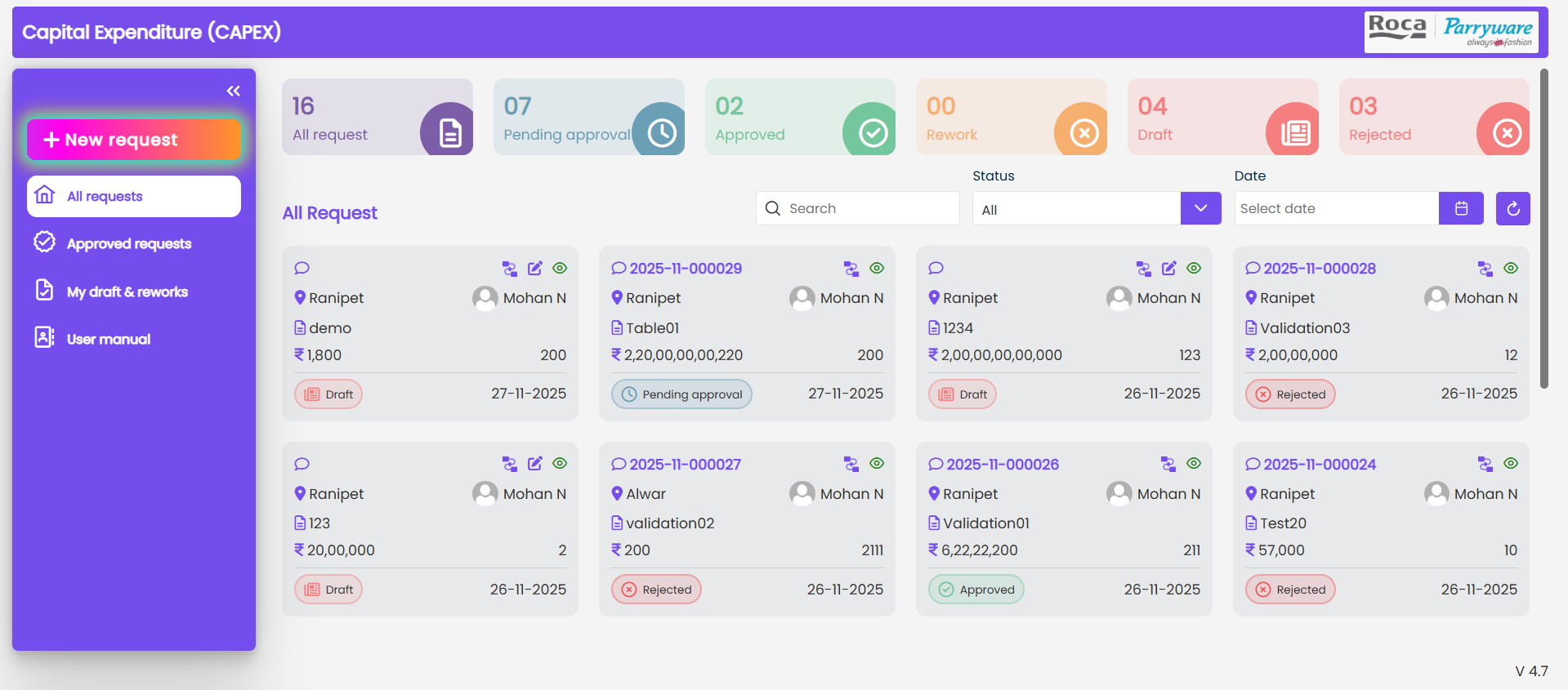
We built a fully automated, configurable CAPEX management system on SharePoint SPFx to centralize requests, streamline approvals, control budgets, and provide complete visibility across all locations.
1. Centralized SharePoint (SPFx)- CAPEX Management System. We built a unified CAPEX system on SharePoint SPFx to replace the manual email- and spreadsheet-driven process. All requests, approvals, documents, budget details, and comments are captured in a single platform accessible across all locations. Users see their own screens to create and track requests, while the system ensures every entry is linked to the user’s configured location, nature of the project, and line items. This eliminates data loss, improves accuracy, and brings full transparency across the organisation.
2. Configurable Masters, Roles, Locations, and Workflow Rules Admins have a dedicated configuration panel to manage every core element of the system. They can add locations, define the nature of projects, set different line items for each project type, and configure roles for each location. Approvers and initiators are mapped location-wise to control who can raise or approve requests. Workflow rules are fully configurable based on location, role, and the nature of the project. Admins can also assign delegation for all tasks – temporarily or permanently.
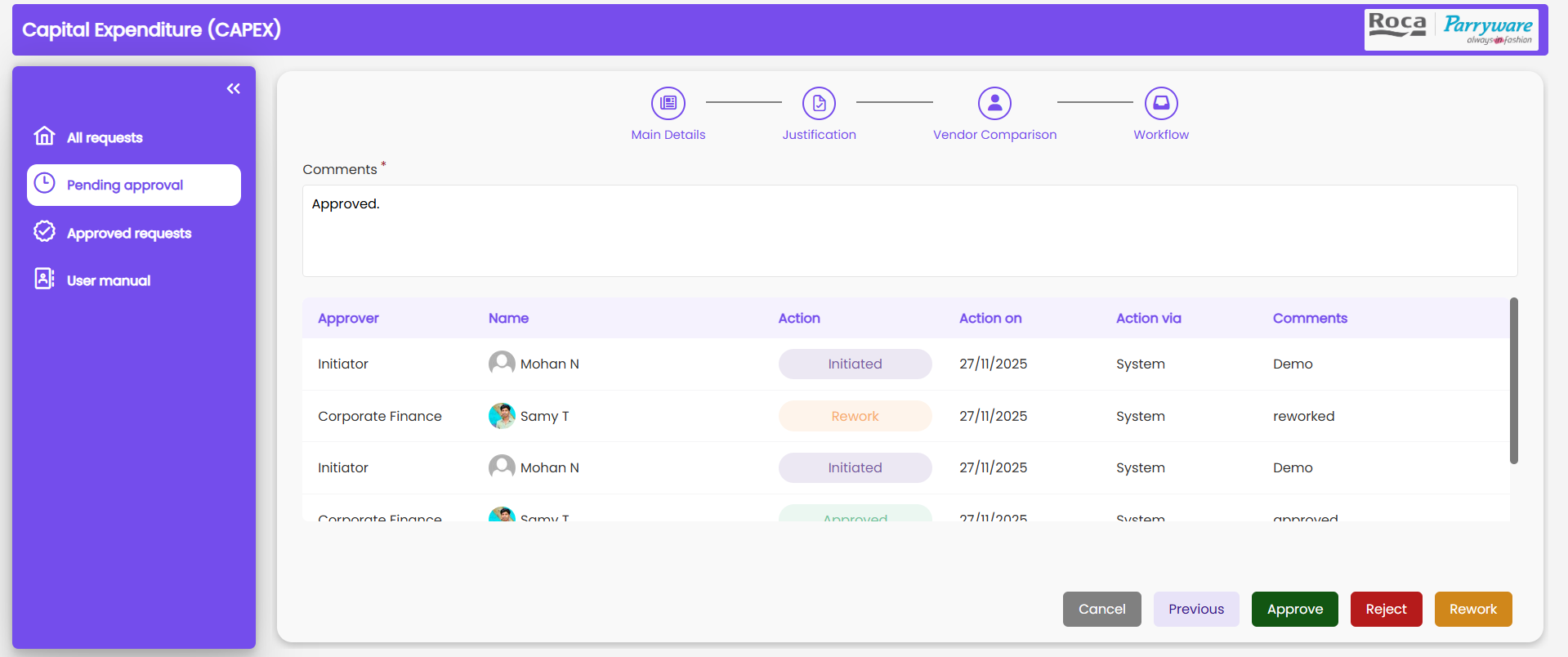
3. Automated Multi-Stage Approvals with Rework and Vendor Inputs. Requests follow an automated approval path: Initiator → Corporate Finance → MD. Workflow movement happens based on the configuration set by Admin. Approvers can reject, approve, or send requests back for rework. Every action triggers email notifications containing request information, quote details, expenditure items, and approver comments. This creates a transparent and delay-free approval cycle.
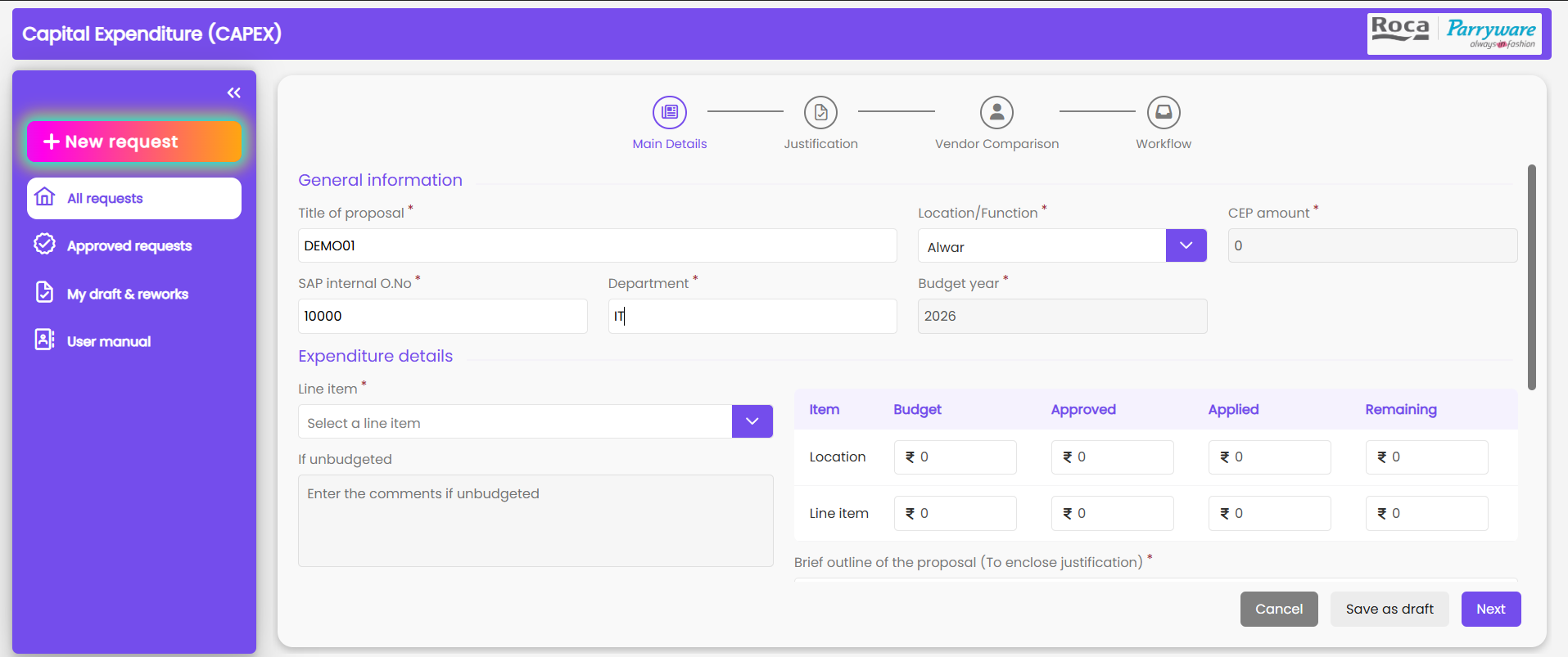
4. Dynamic Budget Allocation, Line Items, and Real-Time Tracking. Corporate finance configures yearly budgets for every location, nature of the project, and line item. Before creating a request, users see the allocated budget, requested amount, and remaining balance automatically. Line items vary based on the nature of the project, and users can select the required items while submitting the request. Upon approval by the MD, the system updates the consumed budget and shows the remaining allocation instantly. This helps Finance monitor spending patterns accurately.
5. Reporting, Audit Trail, Expenditure Insights, and Data Export The system includes a reporting dashboard where users can filter CAPEX records by year, location, status, project nature, or line items. Corporate finance can view total yearly expenditure before making allocations. Every step of the workflow – edits, comments, vendor additions, approvals, and reworks – is recorded in a complete audit trail. Admin can download reports with all details, including quotes, expenditure breakdown, and approver remarks, supporting analysis, audits, and financial planning.

The Benefits

Faster Approvals With Zero Manual Follow-Ups

The automated workflow removes delays caused by emails and manual chasing. Each request moves instantly to the next approver, with notifications and clear actions. This cuts approval time significantly and ensures decisions happen without bottlenecks or confusion.

Complete Transparency for Finance and Management.

Every request, comment, vendor detail, quote, and approval step is tracked in one place. CFOs can review yearly expenditure, monitor pending items, and verify compliance instantly. This eliminates discrepancies and gives leadership reliable data for forecasting.

Accurate Budget Control Across All Locations

With real-time allocation, consumed amount, and remaining balance visible, users cannot overshoot budgets. Finance gains full clarity on spending by location, line item, and month. This prevents financial leakage and supports smarter, timely budget planning.

Scalable and Flexible System With Zero IT Dependency

Admins can configure locations, roles, workflow routes, and project types without development support. Delegation ensures smooth operation even when approvers are unavailable. The system grows with the organization and adapts to structural or process changes easily.

TESTIMONIAL

What they say about us

Join Us on the Innovation Journey

Ready to transform your business?

Connect with us today and begin your digital evolution!
Monkey - Cartoon Image

Explore our case study on Transforming Data Management Efficiency with Power Automate

Increase in Transforming Data Management Efficiency