Digital Transformation in Engineering and Construction Operations
Platform
Industry
- Construction
Outcome
45%
Operational Efficiency Increased
60%
Administrative Errors Reduced
50%
Project Visibility Improved
About GeoTek
The Challenge

Reliance on Manual, Spreadsheet-Based Project Management.
The company managed construction projects, geotechnical construction details entirely through Excel spreadsheets. This approach led to fragmented information, version control issues, and a high risk of data entry errors, making it difficult to track project status in real time. Additionally, there was no centralized system to provide a holistic view of project data across teams and activities

Inefficient Handling of Pre-Drilling Data and Calculations.
Pre-drilling records and engineering calculations were maintained manually in Excel, requiring repetitive data entry and manual validation. This made the process time-consuming and prone to errors. The system also lacked proper data standardization and structured workflows. As a result, visibility between pre-drilling and post-construction filling data was limited. In some cases, post-construction filling data was entered without corresponding pre-drilling records, leading to data inconsistencies.

Lack of Integrated Systems and Automation.
Organization-wise user management, timesheets, inventory, and equipment tracking were handled manually or were not tracked at all. The absence of a centralized and automated system resulted in fragmented data management across the organization. This led to limited visibility into operational activities and resource allocation. As a result, resource utilization was inefficient and administrative overhead increased.
The Solution
1. System Modules and Platform Structure
The application was designed as a centralized platform with integrated modules to manage business operations. Key modules include Settings, My Profile, Opportunities, Projects, Timesheets, Customers, Vendors, Contacts, Equipment, and Inventory. The Settings module manages configurations related to organization, projects, operations, and equipment. The My Profile module supports user management and secure access control. Opportunities act as the starting point of workflows and can be converted into projects. Supporting modules manage workforce tracking, stakeholders, operational assets, and inventory resources.
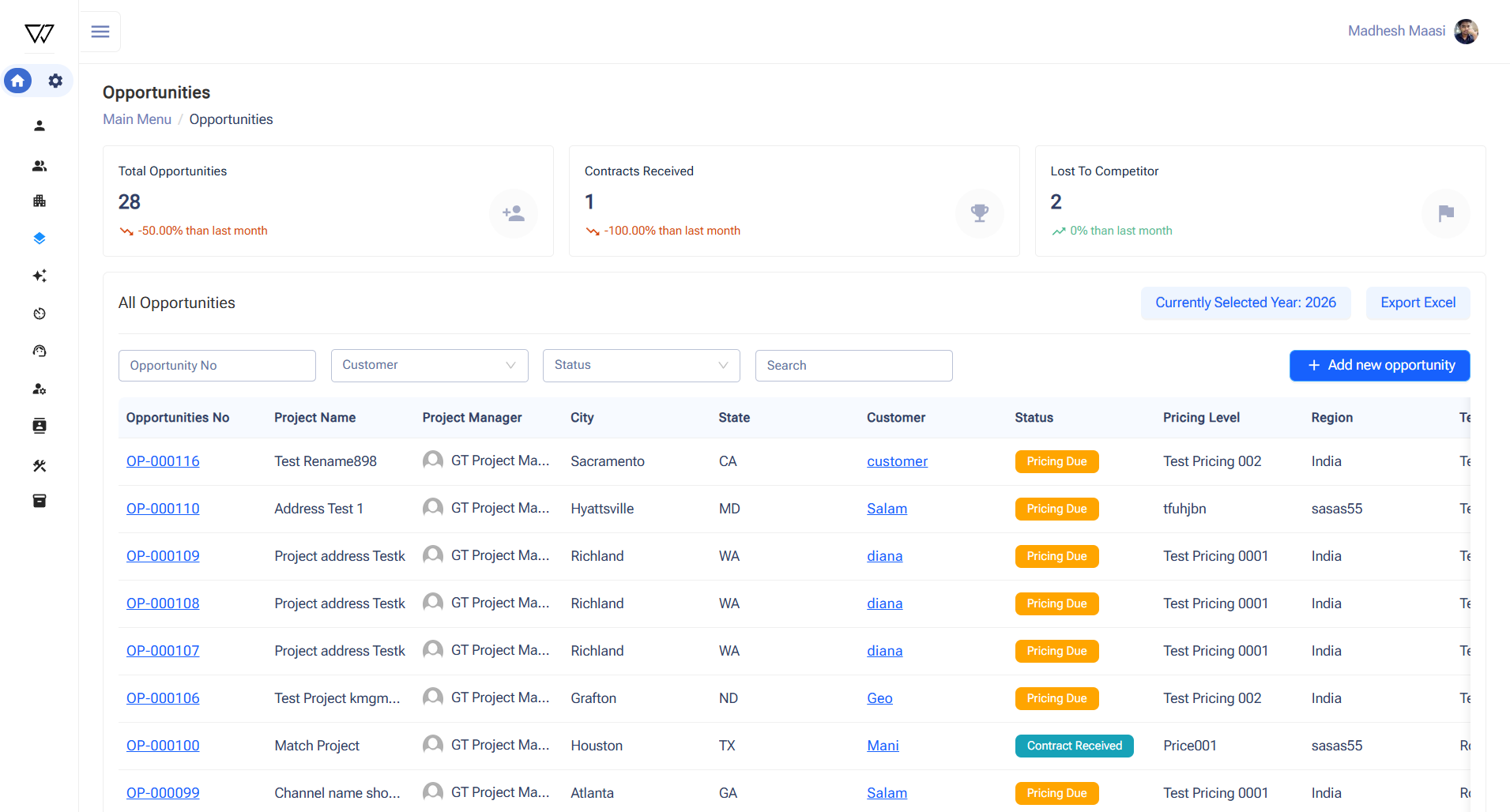
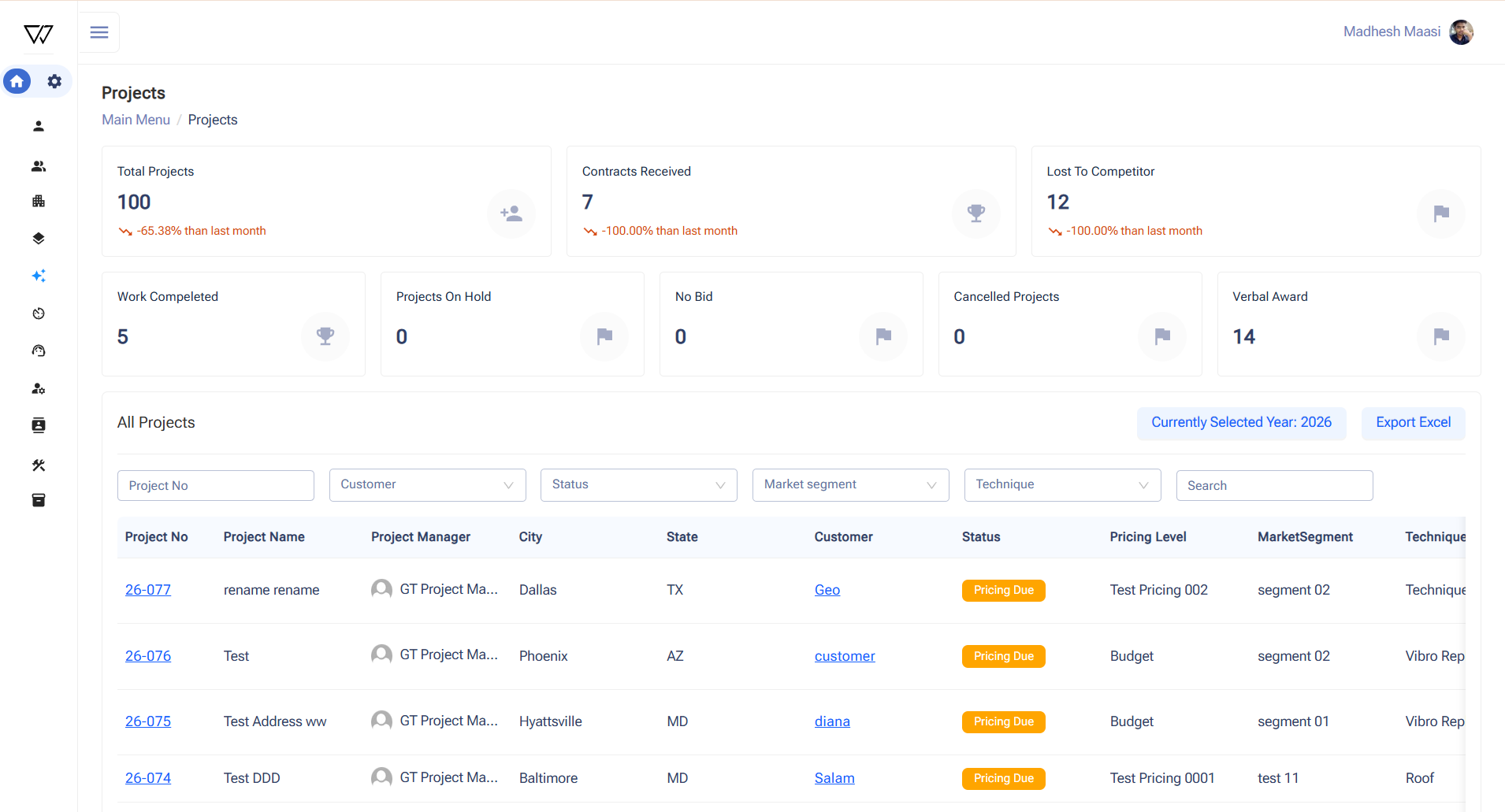
The Opportunity module captures potential business opportunities with dashboards showing total opportunities, contracts won, and lost to competitors, with Excel export capability. When an opportunity is created, Power Automate automatically generates a Microsoft Teams channel and document folders. Opportunities can be converted into projects within the Projects module, where dashboards and detailed records are maintained. Project pages include Production Shifts, Documents, Safety, Literature, and Project details. Production shift records can be exported as Excel or PDF reports. This ensures structured project lifecycle management.
3. Workforce and Stakeholder Management
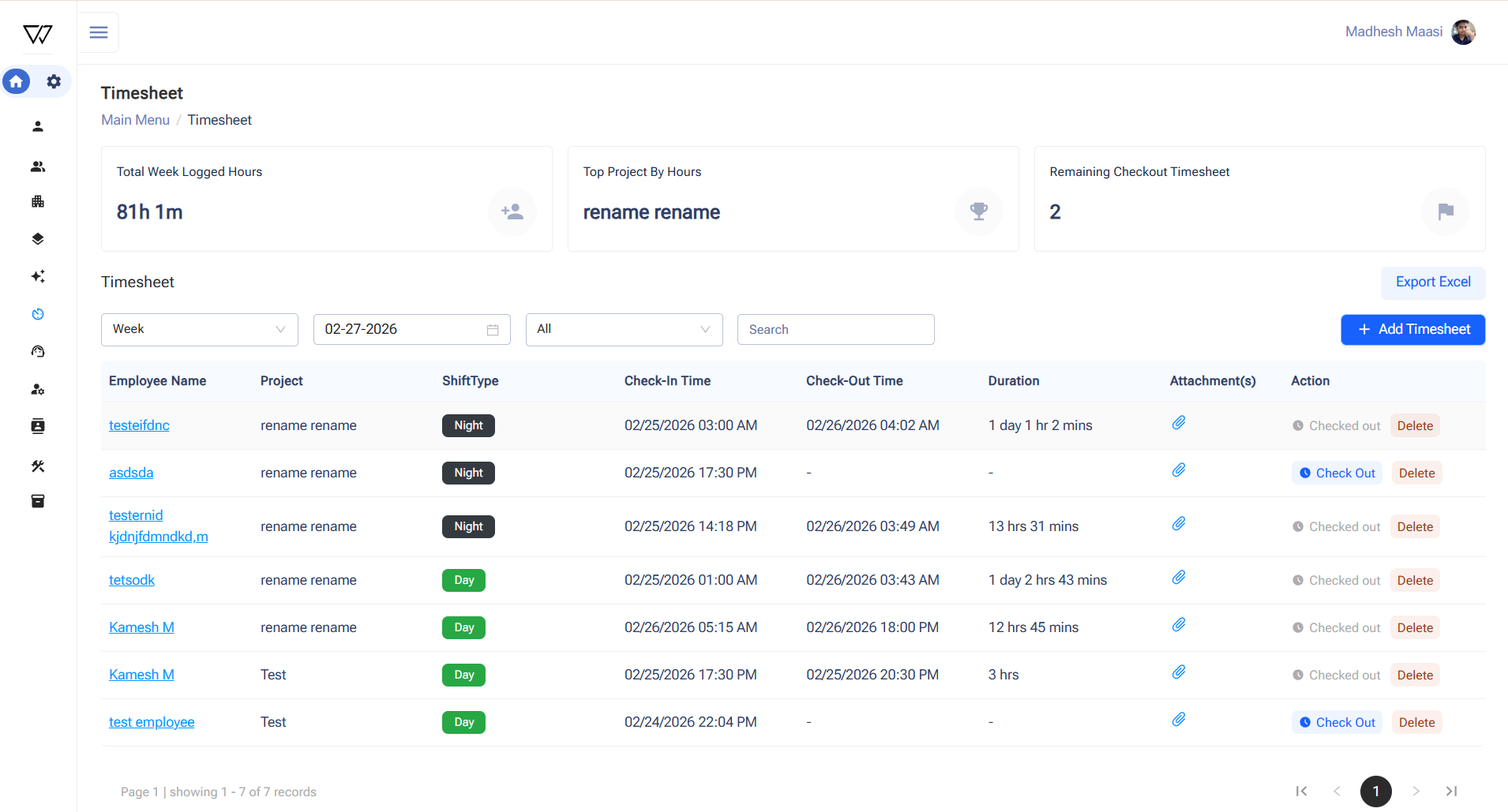
The Timesheet module digitizes workforce attendance by mapping timesheets to projects. Users perform check-in and check-out with verification questions and optional image uploads, while the system calculates working hours automatically. The Customer and Vendor modules store contact details, location information, and related documentation. Automated workflows create document folders and records in Microsoft Teams when new customers or vendors are added. The Contacts module centralizes customer and vendor contacts with dashboard visibility. These modules improve stakeholder management and operational coordination.
The Equipment module manages both owned and rented equipment assets with detailed records, images, and supporting documents. Equipment utilization is tracked through equipment logs linked to production shift check-in and check-out data. Dashboards provide visibility into equipment records and availability. The Inventory module manages materials by capturing item names and units of measurement. This replaces manual tracking previously maintained in spreadsheets. It improves visibility into equipment utilization and material resources across projects.
The Benefits
Improved Operational Efficiency
Real-Time Visibility & Better Decision-Making
Enhanced Data Accuracy & Standardization
Strengthened Collaboration & Compliance
TESTIMONIAL
What they say about us
Join Us on the Innovation Journey