Table of Contents
- Why Effective Document Management Matters in SharePoint
- Common Document Management Challenges Businesses Face
- Organizing Documents for Efficiency
- Core Modules That Power the SharePoint Document Management System
- Implementing Version Control and Access Permissions
- Ensuring Compliance with Retention Policies
- Leveraging Automation and Workflows in SharePoint
- Conclusion
- Frequently Asked Questions (FAQ)
Why Effective Document Management Matters in SharePoint
The Role of SharePoint in Digital Collaboration
SharePoint has become the central hub for modern workplace documentation because it introduces order where most organisations naturally drift toward fragmentation. Its value is not limited to centralised storage; it lies in the predictability and structure it brings to the entire document lifecycle. When SharePoint is implemented with intention, it creates an environment where teams can work confidently knowing that documents are versioned correctly, permissions are appropriate, and information is always traceable.
The platform strengthens collaboration by enabling co-authoring, maintaining audit-ready version histories, and integrating seamlessly with Microsoft 365 applications. It replaces scattered document habits with a unified workspace built around shared rules and consistent governance. This shift—from informal document handling to structured collaboration—is what makes SharePoint indispensable.
Common Document Management Challenges Businesses Face
Most document challenges exist long before SharePoint is introduced: inconsistent naming, unpredictable storage habits, deep folder nesting, unclear ownership, duplicated files, and documents stored in multiple locations. These habits slow teams down and introduce avoidable risk.
Version confusion is a persistent issue. Without a reliable system to show which file is the most recent, teams rely on assumptions. The same applies to permissions. When users grant access freely or inconsistently, sensitive information becomes vulnerable.
SharePoint’s strength lies in addressing these issues, but only when the system is designed with clarity and governance at the core. A technically powerful platform without disciplined structure simply replicates the same problems in a new location.
Organizing Documents for Efficiency
Structuring Document Libraries and Folders
Clear structure is the foundation of effective document management. SharePoint works best when libraries are designed around genuine business functions, not personal preferences. A predictable library structure means users instinctively know where documents belong and where to look for them.
Folders should be used sparingly. Deep hierarchies slow navigation and encourage duplication. Metadata provides flexibility that folders cannot—allowing documents to be filtered, sliced, and viewed from multiple angles. Naming conventions matter as well; precise, consistent document names improve search accuracy and reduce ambiguity.
A well-organised SharePoint library feels intuitive, not because users memorise it, but because the structure reflects the logic of the organisation itself.
Core Modules That Power the SharePoint Document Management System
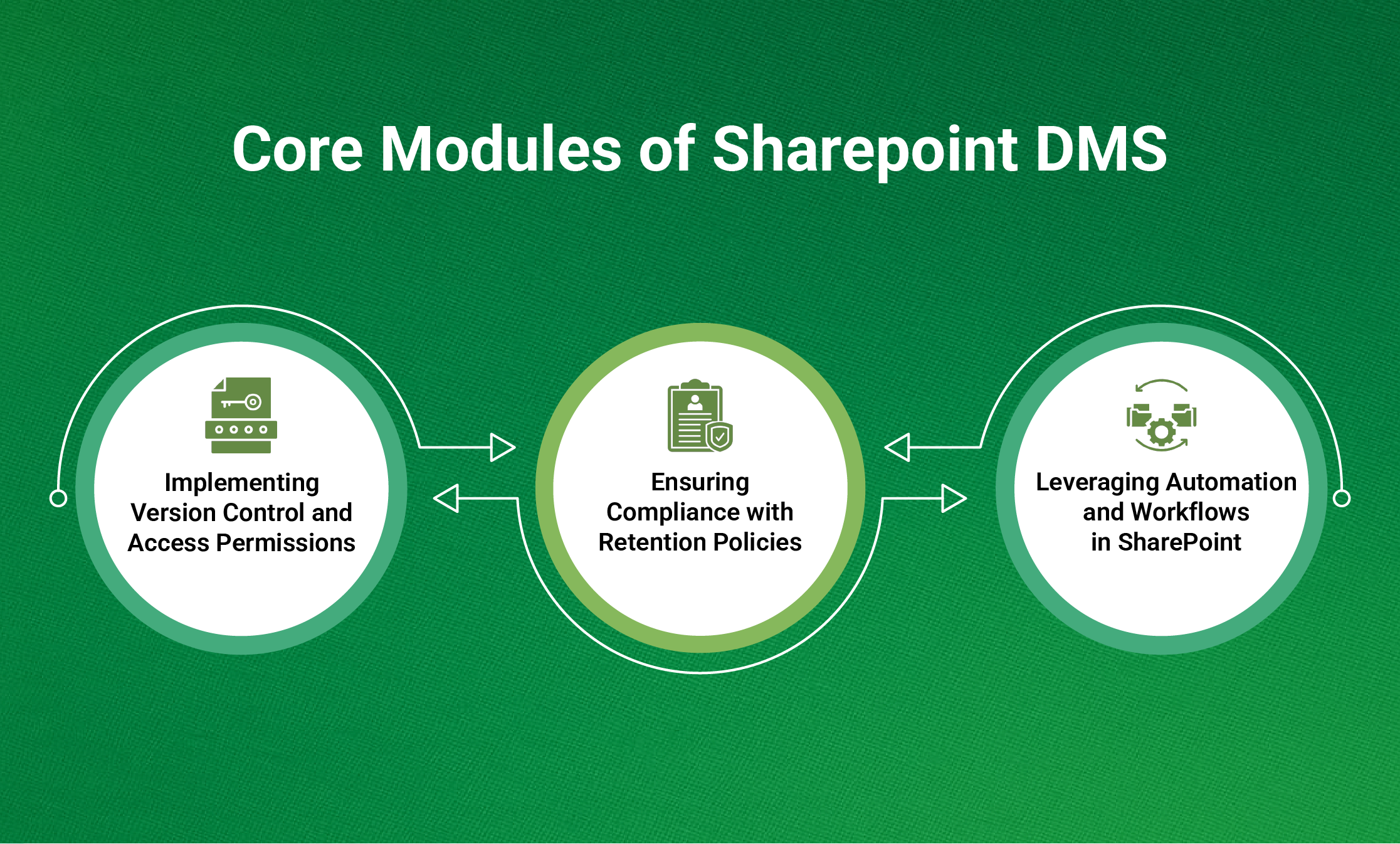
A SharePoint environment gains its strength from how its modules work together. Document libraries provide the primary storage layer, but features such as content types, metadata, versioning, permissions, workflows, and retention policies elevate the system beyond a simple repository.
Content types provide standardisation, ensuring that documents of the same category share the same metadata and templates. Versioning captures the full history of a document’s evolution. Permissions define who has access and what level of control they have. Workflows move documents through approval cycles and automate routine tasks. Retention labels and compliance policies govern the lifespan of content and ensure alignment with organisational requirements.
When these modules operate cohesively, SharePoint becomes a controlled and scalable document management system that supports long-term organisational growth.
Implementing Version Control and Access Permissions
Setting Up Version History to Track Document Changes
Version history is one of SharePoint’s most valuable capabilities. It eliminates the need for multiple copies and ensures that every revision is recorded. With major and minor versions, teams can distinguish between drafts and final documents. The ability to restore previous versions protects against accidental overwrites and errors.
Check-in and check-out is another important mechanism for sensitive libraries. It ensures that edits occur with intention, not by accident. When versioning is implemented with discipline, it becomes a reliable indicator of accountability and content integrity.
Managing User Permissions and Security Levels
Permissions form the security backbone of document management. SharePoint’s permission model is robust, but its effectiveness depends on how it is configured. Group-based permissions keep access clean and manageable. Inheritance provides consistency and prevents permission drift. The principle of least privilege ensures users only access what they genuinely need.
Sensitive content may require restricted sites or libraries with elevated controls. Sensitivity labels extend protection beyond SharePoint, ensuring content remains secure even if downloaded or shared externally. The key is not to restrict access excessively but to align access with organisational roles and responsibilities.
Ensuring Compliance with Retention Policies
Creating and Applying Retention Labels
Retention labels formalise how long documents should remain in the system. They ensure compliance with legal, regulatory, and internal guidelines. By assigning retention labels to content types or libraries, organisations create predictable and defensible governance for their documents.
A retention label makes it clear whether a document is still active, ready for archival, or nearing the end of its lifecycle. This clarity is essential in environments where documentation plays a strategic or regulatory role.
Automating Document Lifecycle Management
Automation reinforces the consistency that governance requires. Once retention policies are defined, automation handles archival, disposition, and review stages. This removes the burden of manual checks and ensures accuracy in lifecycle decisions.
By automating lifecycle events, organisations prevent clutter, reduce storage waste, and maintain a cleaner, more reliable document environment.
Avoiding Compliance Risks with Proper Record-Keeping
Compliance is not simply about avoiding violations—it is about creating systems that stand up to scrutiny. Proper record-keeping requires documents to be classified correctly, stored consistently, versioned responsibly, and disposed of according to defined policies.
SharePoint’s retention and auditing capabilities allow organisations to demonstrate control over their information, reinforcing trust and governance.
Leveraging Automation and Workflows in SharePoint
Automating Document Approvals and Reviews
Automation is one of the most transformative aspects of SharePoint. By shifting approvals, reviews, notifications, and document routing into automated workflows, organisations remove bottlenecks and reduce the risk of oversight.
Approval workflows ensure documents progress through defined stages before being finalised. Review workflows maintain the currency of policies, procedures, and compliance-related content. Notifications provide real-time visibility and keep stakeholders aligned.
Automation strengthens reliability. It ensures tasks occur consistently, regardless of workload or personnel changes.
Conclusion
A well-designed SharePoint environment reshapes the way an organisation works with documents. It creates predictability in structure, transparency in collaboration, discipline in versioning, and confidence in compliance. When best practices are implemented thoughtfully, SharePoint becomes more than a tool—it becomes a strategic framework that supports efficient, secure, and compliant work.
If your organisation is preparing to modernise its document management landscape, adopting these SharePoint practices is the most effective way to build a long-term, scalable, and well-governed digital workspace. The strength of any document system lies in its consistency, and SharePoint offers the structure needed to sustain that consistency over time.
Frequently Asked Questions (FAQ)
What is the best way to organise a SharePoint document library?
Design libraries around business functions, apply metadata consistently, limit folder depth, and follow clear naming conventions to make the system predictable and scalable.
How does version control work in SharePoint?
SharePoint records a complete history of every document revision, allowing users to restore earlier versions, review changes, and maintain a clear audit trail.
What exactly is SharePoint Document Management?
It is the structured creation, organisation, protection, and lifecycle governance of documents within the SharePoint platform.
Which is the best document management system? Why?
SharePoint is among the strongest because it combines governance, workflow automation, version control, security, and Microsoft 365 integration in one ecosystem.
Can SharePoint be used for document management?
Yes. It is widely used as a full Document Management System supporting secure, collaborative, and compliant document handling.