How Roca Transformed Quality System With SharePoint

Platform

Microsoft O365 - SPFx

Industry

Bathroom & Sanitaryware.

Outcome

90%

Process Transparency

85%

Rapid Product Upgradation Cycle

70%

Faster Feedback Resolution

Company Overview

Roca began in Spain in 1917 and has grown into a global leader in bathroom and sanitary‑ware solutions. The group operates in over 170 markets and has multiple manufacturing units worldwide. Its presence in India was strengthened through the acquisition of Parryware, broadening its product range. Today Roca combines modern design and sustainability to deliver premium bathroom products.

The Challenge

Manual processes made it hard for Roca/Parryware’s quality team to act on feedback from sales reps, retailers and customers. In the absence of a structured system, requests were logged in different places and approvals involved multiple rounds of emails and spreadsheets. Common issues included:

Inefficient Manual Handling

Feedback was collected via paper forms and ad‑hoc messages, slowing down approvals and making tracking cumbersome.

01

Delays in Multi-Stage Approvals

Too many layers of sign‑off caused backlogs and frustrated stakeholders.

02

High Risk of Errors and Inconsistent Data

Manual entry meant important details were missed or mis‑filed, compromising data accuracy.

03

Lack of Visibility

Managers couldn’t easily see which department was working on a request or when it was resolved.

04

Feedback Communication Gaps

Without a centralized feedback system, quality teams couldn't identify customer issues early, missed opportunities for product improvements, and had no clear way to prioritize what needed fixing.

05

No progress Reports:

Paper feedback scattered across departments prevented managers from generating any reports to monitor progress or track what was raised.

06

The Solution

Zazu

To overcome these challenges, the team built a Quality Apps System using SharePoint, SPFx and Power Automate. It provides a central place to capture and manage feedback from multiple channels while enforcing a structured, auditable process.<br>
<b>Digital Workflow Integration</b><br>
The manual request process was replaced by an automated flow that connects CRM data and SharePoint via Power Automate. Sales reps and field engineers can submit feedback through a digital form in the CRM; the data is pushed into the Quality App as a structured entry. Additional feedback from vendors or customer‑support calls can be entered manually through the same form. This integration eliminates paperwork and ensures submissions are complete and traceable.<br>
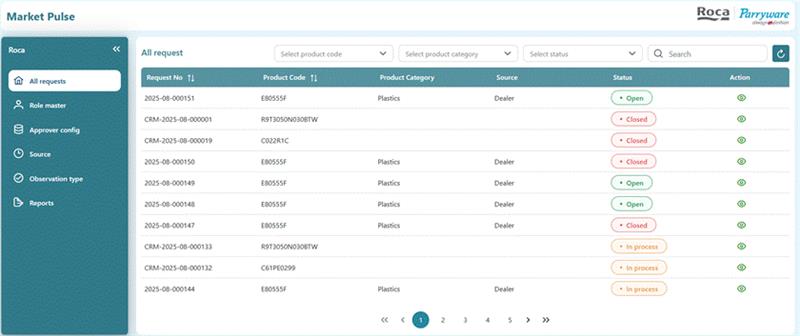
<b>Configurable feedback categories</b><br>
Initiators choose a category (design, material type, plastic/ceramic, durability, damage, etc.) and a source (vendor, customer support, field sales). Required fields, validation rules and attachments ensure consistent data entry. Role‑based access prevents users from skipping mandatory steps. <br>
<b>Streamlined multi‑tier approvals</b><br>
A role‑based workflow guides each request through the right approvers. Feedback goes first to the Quality Reviewer, who verifies details and assigns it to the appropriate team (design, material, production). If the issue requires investment, a Managing Director (MD) approval step is included. Automated emails and in‑app notifications keep stakeholders informed. <br>
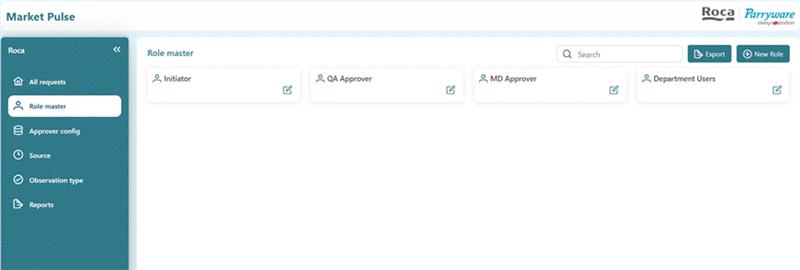
<b>Collaborative and auditable lifecycle</b><br>
Chat and comment features allow QA and department users to discuss issues and share files directly within the case. Every action - submission, approval, rework or closure - is timestamped and logged, ensuring transparency and traceability. QA staff can also initiate requests when they discover quality issues internally. <br>
<b>Rework and closure</b><br>
If additional work is needed, the Quality Reviewer can send the case back to the department with notes. Once the department completes the changes and re‑submits, QA verifies it and either closes the feedback or routes it for MD approval. This loop continues until the request is resolved. <br>
<br>
<b>Implementation highlights</b><br>
<b>Timeline:</b> ~2 months from requirements gathering to deployment.<br>
<b>Data volume: </b>~5 000 feedback records were processed in the first 5 months.<br>
<b>Technology stack:</b> SharePoint Online, SPFx components for custom forms and dashboards, Power Automate for workflow automation, and integration with the existing CRM.


The Benefits

01

Accelerated Turnaround Time:

Automated digital workflows replaced slow manual handling, dramatically shortening the time from feedback submission to closure. Approvals and notifications now occur in real time instead of days.

02

Transparent and Collaborative lifecycle

Sales teams now track the complete feedback journey from customer submission through implementation. When changes are made, quality teams communicate updates back to sales, who inform customers of improvements.

03

Greater Process control

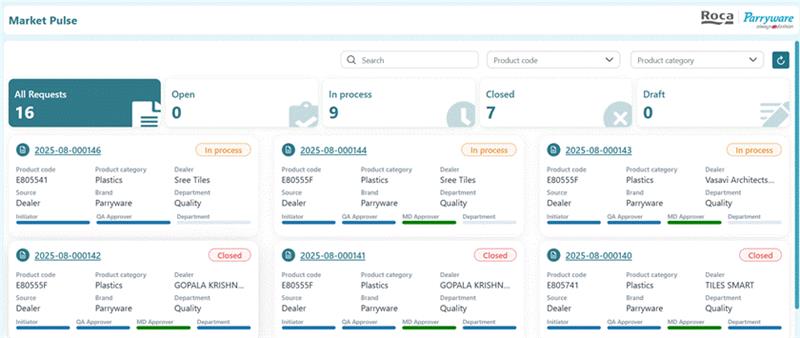
Quality system now have a single dashboard to monitor all feedback requests, budgets and approvals related to quality systems. The structured feedback loop enables continuous product upgradation as teams systematically collect, analyze, and implement customer-driven improvements.

04

Enhanced accuracy and Compliance

Mandatory fields, validation rules and role-based access reduce human error, ensuring each request is complete and compliant. Administrators can access automated reports anytime to view accurate quality data, audit trails, and compliance metrics for informed decision-making

Testimonial

What they say about us
White circular icon with a green quotation mark symbol
We have been working with TechnoRUCS on multiple SharePoint projects, and their delivery has been consistently professional and reliable. They understand our business requirements, maintain clear communication, and provide practical solutions that improve our collaboration. Their team is responsive, flexible, and proactive in addressing our needs. We consider TechnoRUCS a trusted partner for our SharePoint and Microsoft 365 initiatives.

Jaya Sankar - Head Digital Transformation and Information Technology

Roca
Resources

Salesforce .20 Min read

Salesforce Implementation in Australia: A Complete Guide for Businesses in 2026

Salesforce is widely used by Australian businesses to manage customer...

Azure .15 Min read

Azure Migration Services: Step-by-Step Strategy & Checklist

Moving to Microsoft Azure is one of the most consequential...
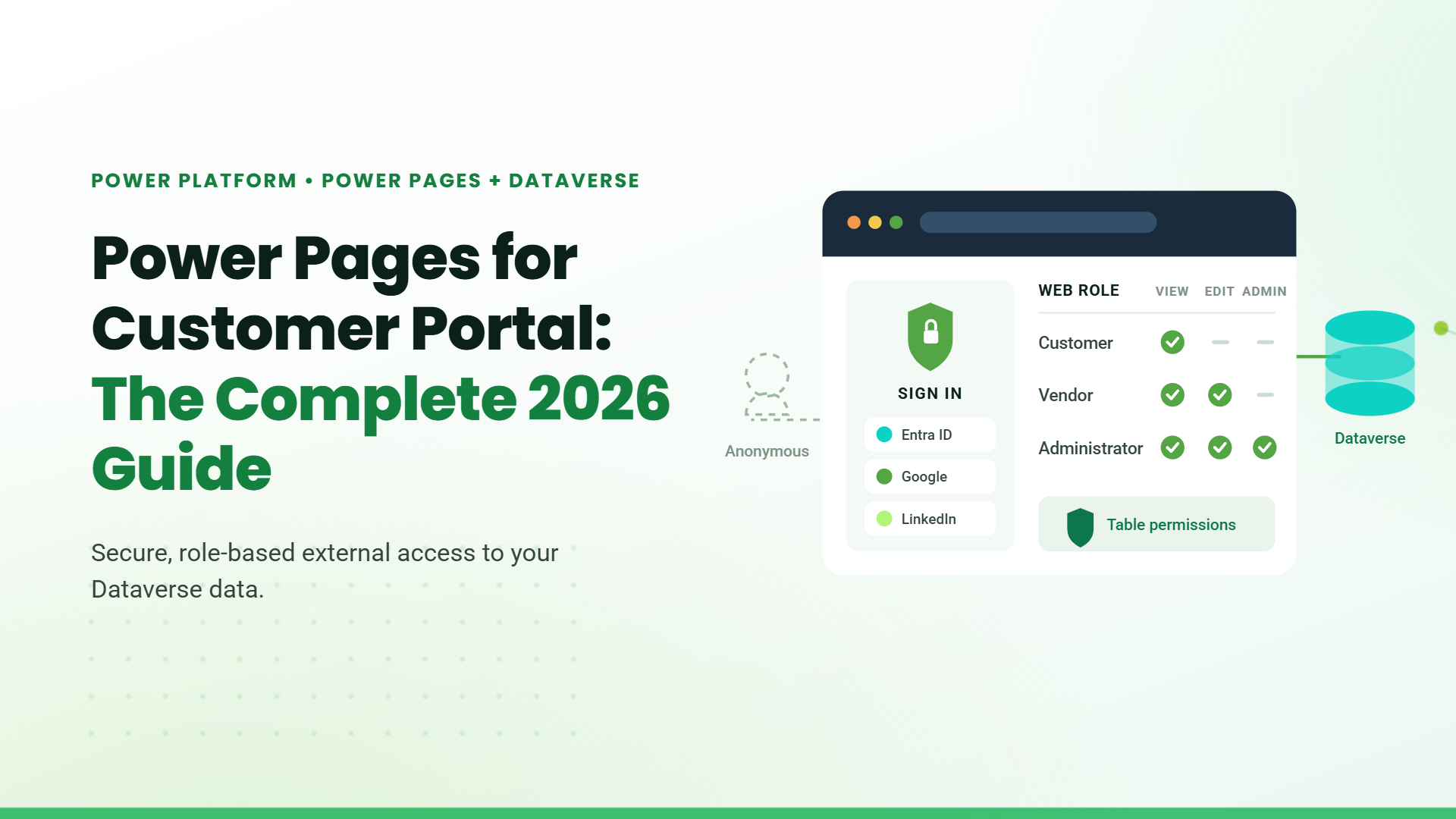
Blog banner titled "Power Pages for Customer Portal: The Complete 2026 Guide" with a mock sign-in panel and role-based permissions table connected to Dataverse

Power Pages .15 Min read

Power Pages for Customer Portal: The Complete 2026 Guide

Microsoft Power Pages for customer portal deployments is the fastest,...

Digitizing Write-Off Approvals with SharePoint

Roca began in Spain in 1917 and has grown into a global leader in bathroom.....

Digital Transformation in Engineering and Construction Operations

Incorporated in 1997, GeoTek is a full-service consulting engineering firm specializing in geotechnical engineering, construction.....

How Roca Gained Faster Approvals and Better CAPEX Control with SharePoint.

Roca began in Spain in 1917 and has grown into a global leader in bathroom.....

Stay Informed & Improve Usability: Smart Alerts &...

Welcome to the latest edition of the TechnoRUCS newsletter! In this issue, we’re sharing two quick …..

Restrict Downloads in SharePoint & Export Data to Power BI

Welcome to the latest edition of the TechnoRUCS newsletter! We continue to share powerful Microsoft tips and tricks…..

Restrict Downloads in SharePoint & Export Data to Power BI

Welcome to the latest edition of the TechnoRUCS newsletter! We continue to share powerful Microsoft tips and tricks…..
Decorative dashed curved line with a green paper plane icon

Ready to transform your business?

Connect with us today and begin your digital evolution!
Decorative green paper plane icon with a dashed trailing line